

Three exclusive delivery modes
Every Screen uses exactly one source of truth for content delivery. This prevents the Cloud and an Edge from serving different content to the same television at the same time.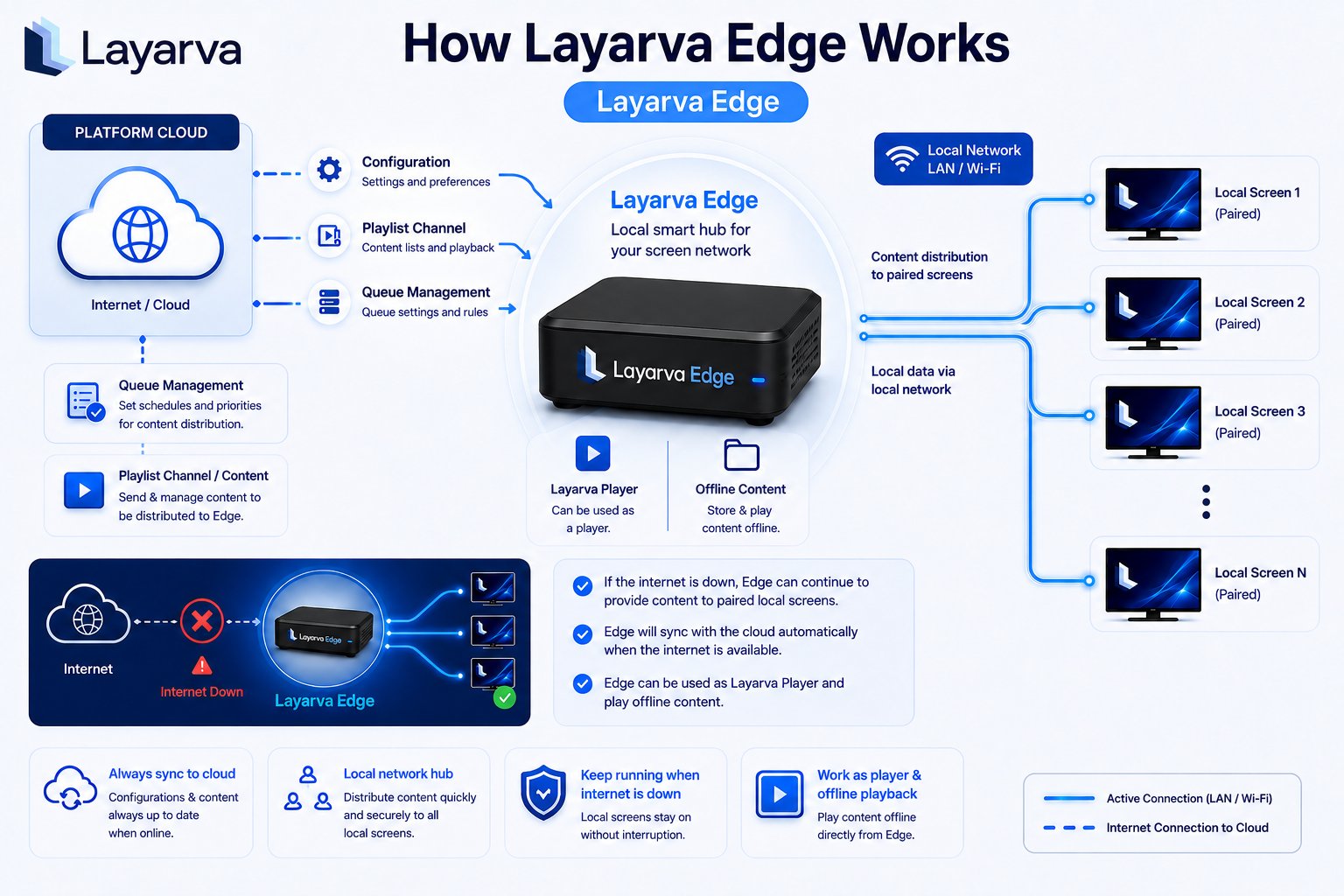
Layarva Edge synchronizes from the Platform, then distributes content and Queue configuration to paired local Screens over LAN or Wi-Fi.
Cloud
Cloud is the default mode. The Player pairs with a temporary six-digit code, receives a permanent device identity, requests its Channel content from Layarva, and reports heartbeat and playback state. Use Cloud when the Player can reliably reach the internet. A Cloud Screen that stops reporting is shown as offline; that is different from a Screen deliberately configured for Offline content.Edge
Edge is a local smart hub for a branch network:- The Edge pairs and synchronizes configuration, Playlist content, Queue settings, and its local Screen roster from the Platform.
- Screens assigned to that Edge receive content over LAN or Wi-Fi.
- If the internet connection fails, previously synchronized local content can continue playing.
- When internet returns, Edge reconciles with the Platform automatically.