

Recognize offline-compatible content
Layarva shows exactly one availability badge on content: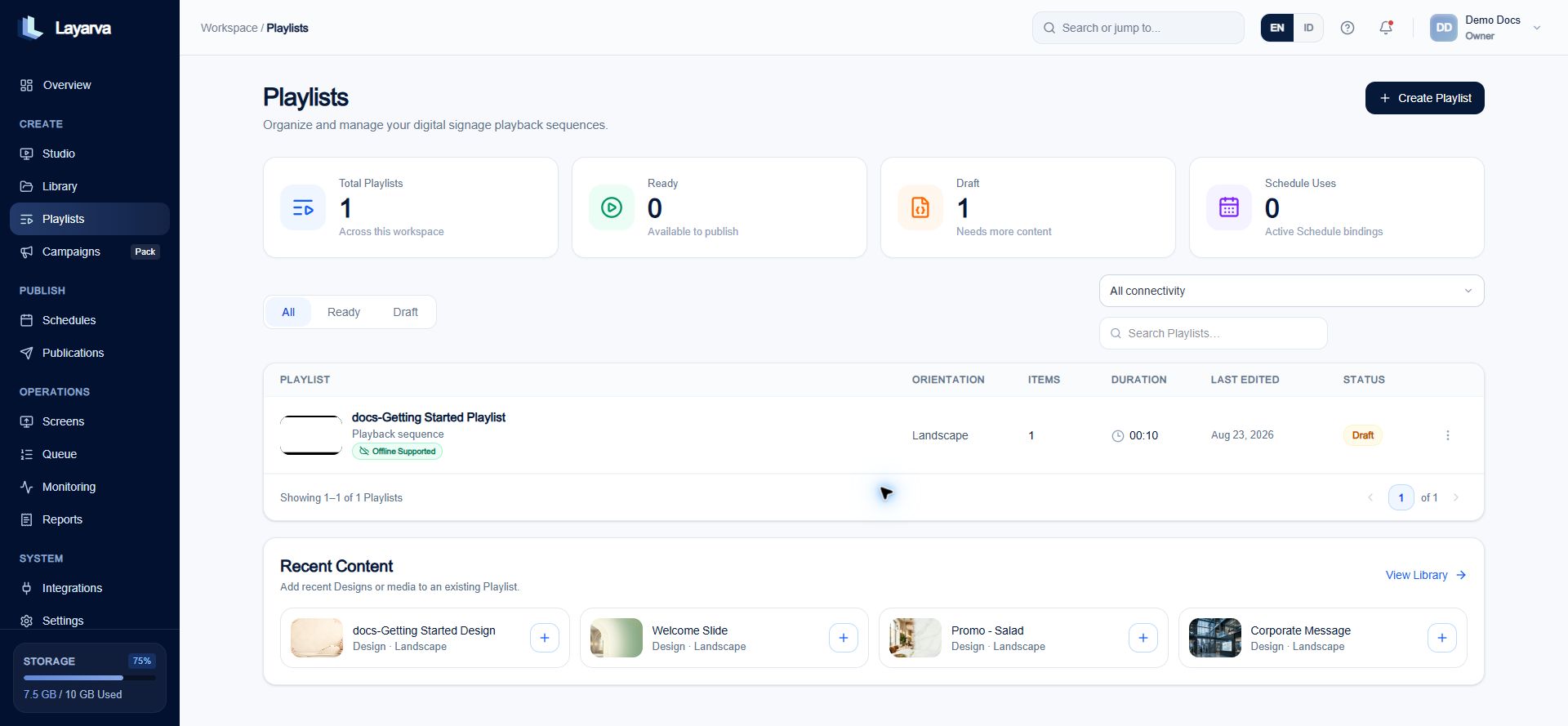
Playlist items and the Playlist summary expose one connectivity badge so offline eligibility is visible before export.
Badge, node mode, and Library tag are different
Layarva exposes two customer-facing badges, but a Design node can use three internal availability modes:
A Library tag is only a free-form search label. Adding an
offline tag does not make content exportable.
Snapshot-capable and live-only dependencies
Snapshot-capable content must embed a usable snapshot before export. Refreshing it later improves the data but is never required to start playback.
Prepare the content
- Build a Playlist using only Offline Supported items.
- Mark the Playlist as Ready to create an immutable version.
- Set that exact Ready version as a Channel’s Default Playlist or publish it to the Channel.
- Confirm that the resulting Publication is eligible for offline export.
Create an Offline Screen
- Open Screens → Pair Screen.
- Select Offline content.
- Enter the Screen name.
- Optionally assign a Location.
- Assign the prepared Channel. This field is required for an Offline Screen.
- Configure output resolution and content fit.
- Select Create Screen.
Export the signed package
- Open the Offline Screen’s actions.
- Select Export offline package.
- Review the confirmation. The first export commits the Screen to its Channel for the package playback window.
- Confirm the export and save the downloaded
.lvapkgfile. - Carry the file to the target device and import it in a supported Layarva Player.
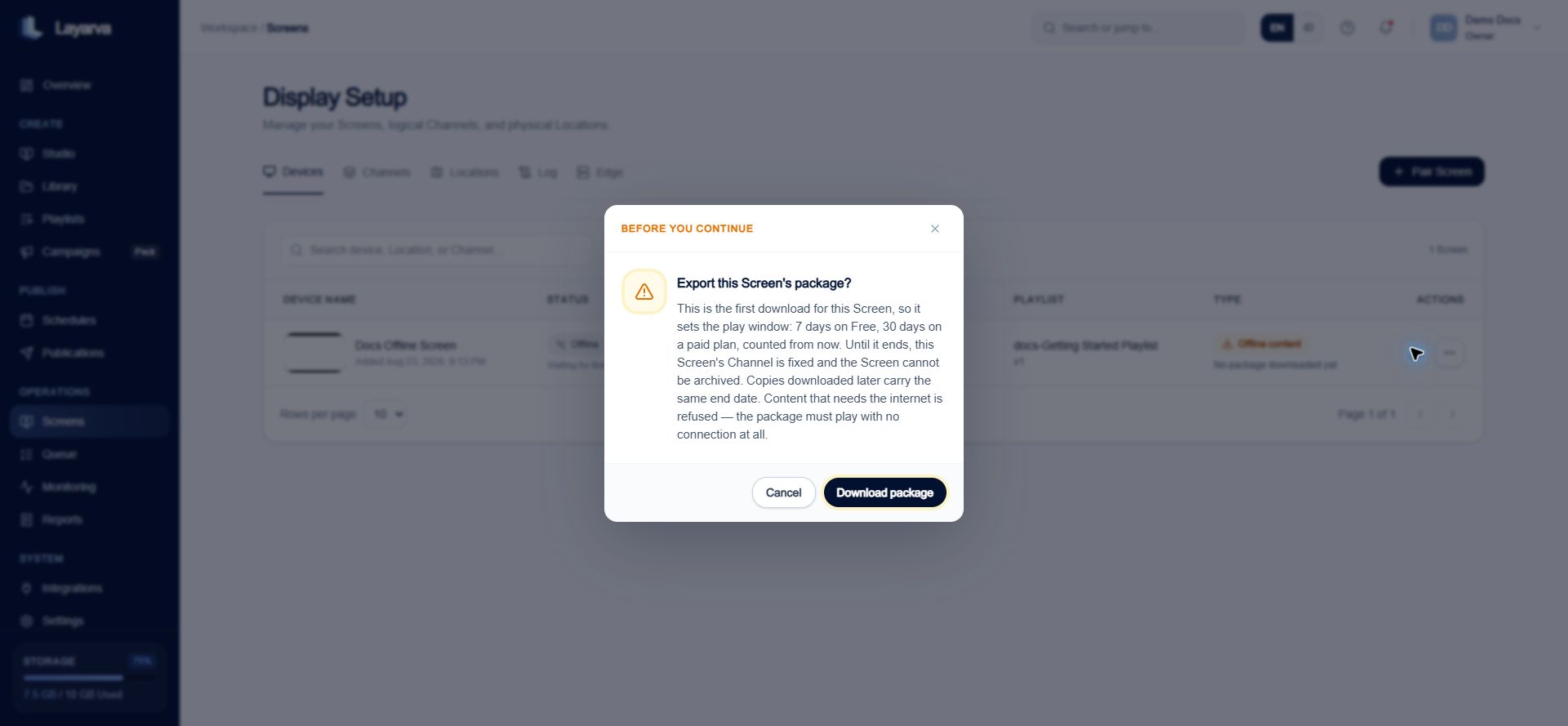
Before export, Layarva explains Channel locking and the plan-dependent playback lease shown for the package.
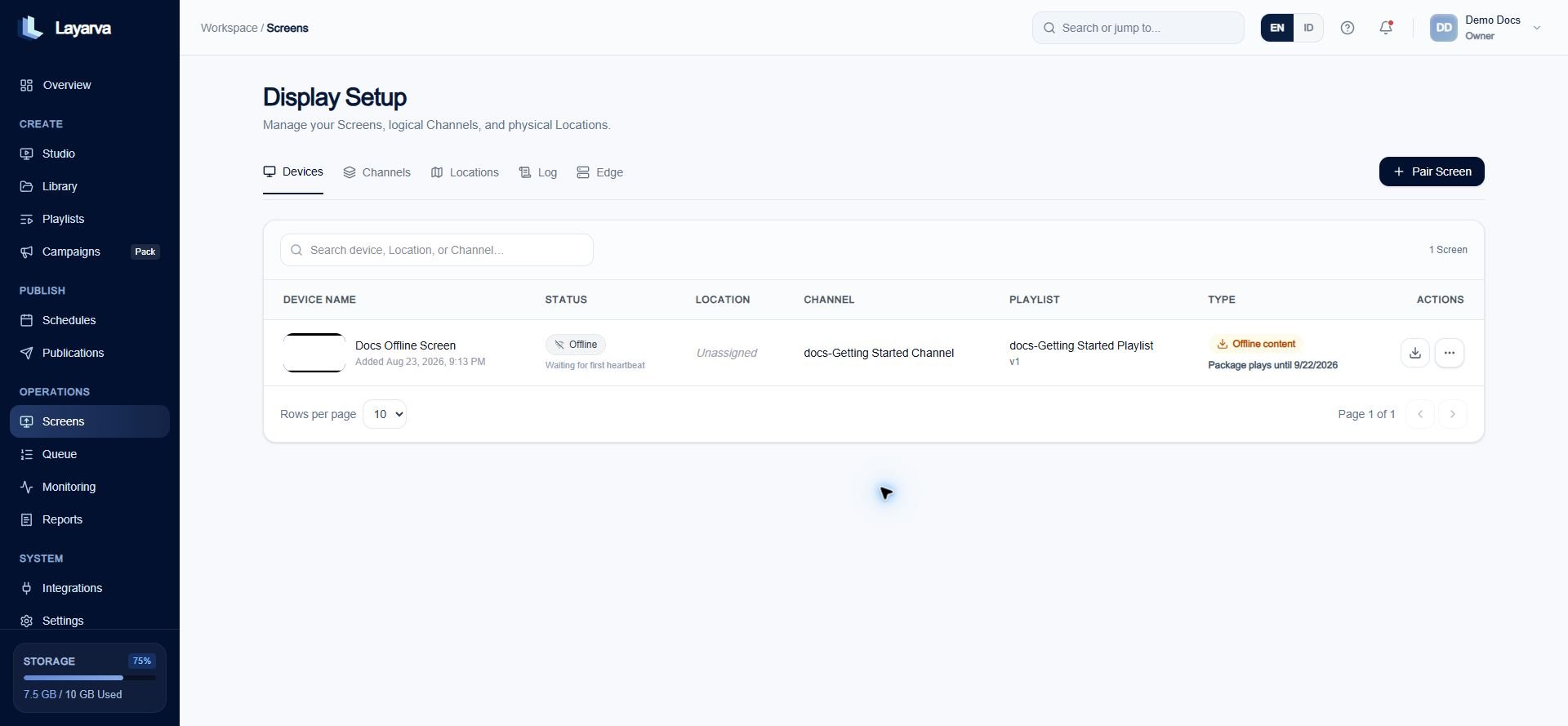
The Offline Screen action exports the current Channel content as a signed Layarva package and displays its playback expiration.
What the package contains
- An immutable Publication manifest.
- Every referenced resource with its checksum and byte size.
- Embedded snapshots for supported refreshable data.
- A signed descriptor and a playback lease scoped to the workspace, Channel, and optionally the Screen.
Offline eligibility checks
Export succeeds only when all four groups pass:- No active item is Online Required.
- Every snapshot-capable dependency contains an embedded snapshot and uses a compatible offline mode.
- Every referenced resource exists exactly once in the inventory, with matching checksum and byte size.
- The inventory contains no unused resource.
Playback lease and audience
The Player validates the lease before activation:
Resource paths must remain below
resources/; traversal with .. and duplicate paths are rejected.
Lease duration and locking
- Free offline leases are capped at seven days.
- Subscription offline leases are capped at thirty days.
- A paid-period end can shorten that window; an expired period rejects export.
- A yearly subscription still produces a maximum thirty-day package.
- Free workspaces can deliver one offline lease; paid entitlements normally allow repeated delivery.