

What a Schedule is
A Schedule is a time rule that temporarily makes one immutable Playlist version active on one Channel. When its window ends, the Channel returns to its Default Playlist.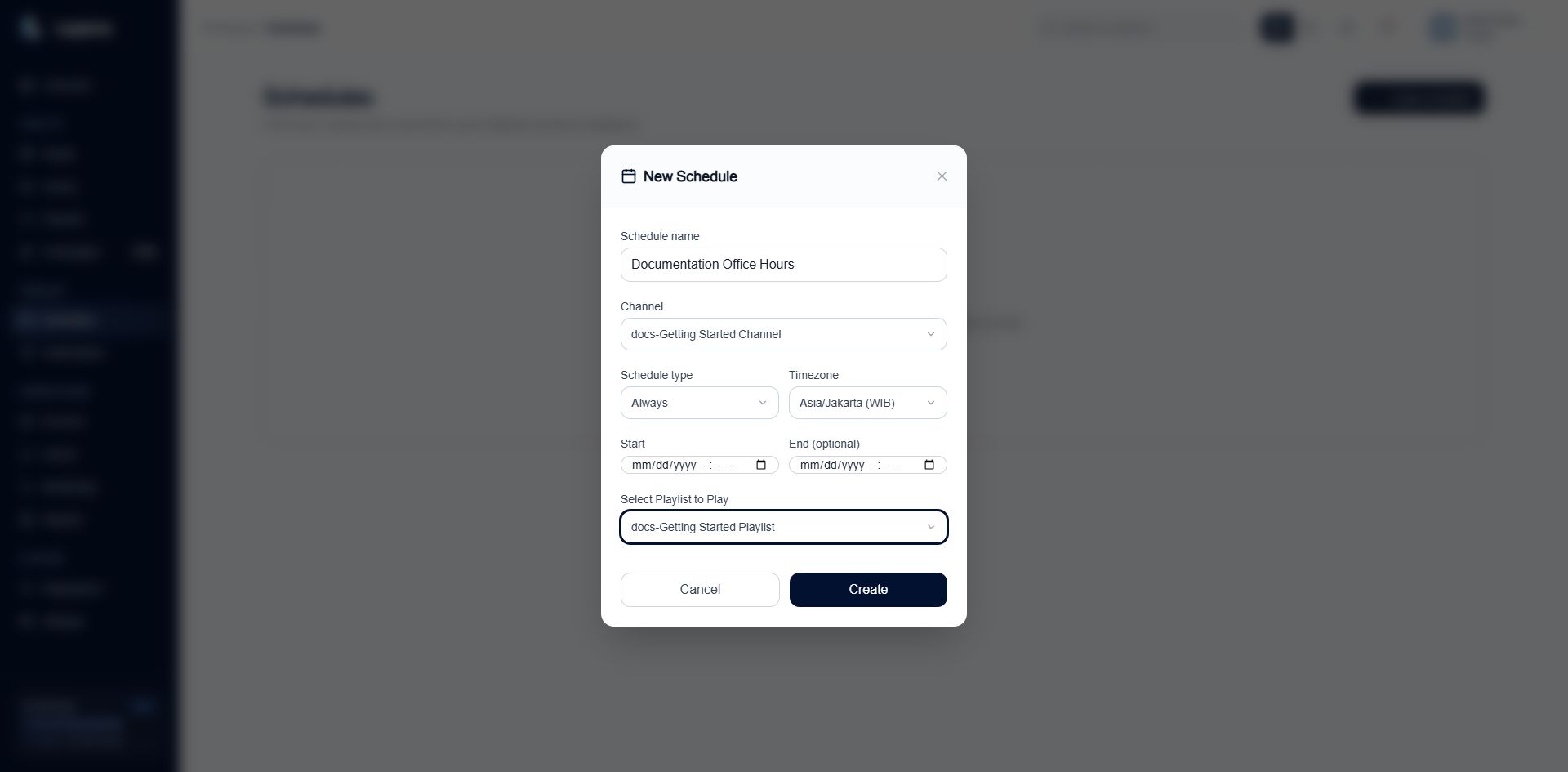
A Schedule binds one Channel to one Playlist version, timing rule, and timezone.
Timing types
Every Schedule has a timezone. The entered clock time is interpreted in that timezone, not in the browser’s current timezone.
Create a Schedule
- Open Schedules and select Create Schedule.
- Enter a recognizable Schedule name.
- Select the Channel.
- Select Always, One time, or Weekly.
- Set the timezone and timing fields.
- Select the exact Ready Playlist version to play.
- Select Create.
Understand the two status badges
An Enabled Schedule can be Upcoming, Active, or Ended. A Paused Schedule keeps its timing definition but does not execute it.
Runtime occurrences
Layarva creates execution records for the Schedule boundaries. A start occurrence activates the scheduled Playlist; an end occurrence restores the Channel fallback. The detail page shows whether the latest occurrence is waiting, processing, completed, missed, skipped, or needs attention.Manage a Schedule
- Edit Schedule changes the timing or target configuration.
- Pause Schedule stops execution without deleting the definition.
- Resume Schedule plans remaining occurrences again.
- Duplicate as Draft creates a safe editable copy.
- Delete Schedule removes it; verify that the Channel has another valid playback rule first.