

What you’ll accomplish
You will move a Playlist from Draft to Ready and create an immutable Publication for a Channel.Prerequisites
- A Playlist with at least one enabled, playable item.
- Permission to publish under the workspace publishing policy.
Steps
- Open Playlists and select the Playlist.
- Confirm its playback order, item duration, orientation, and total duration.
-
Select Mark as Ready. Layarva creates an immutable Playlist version.
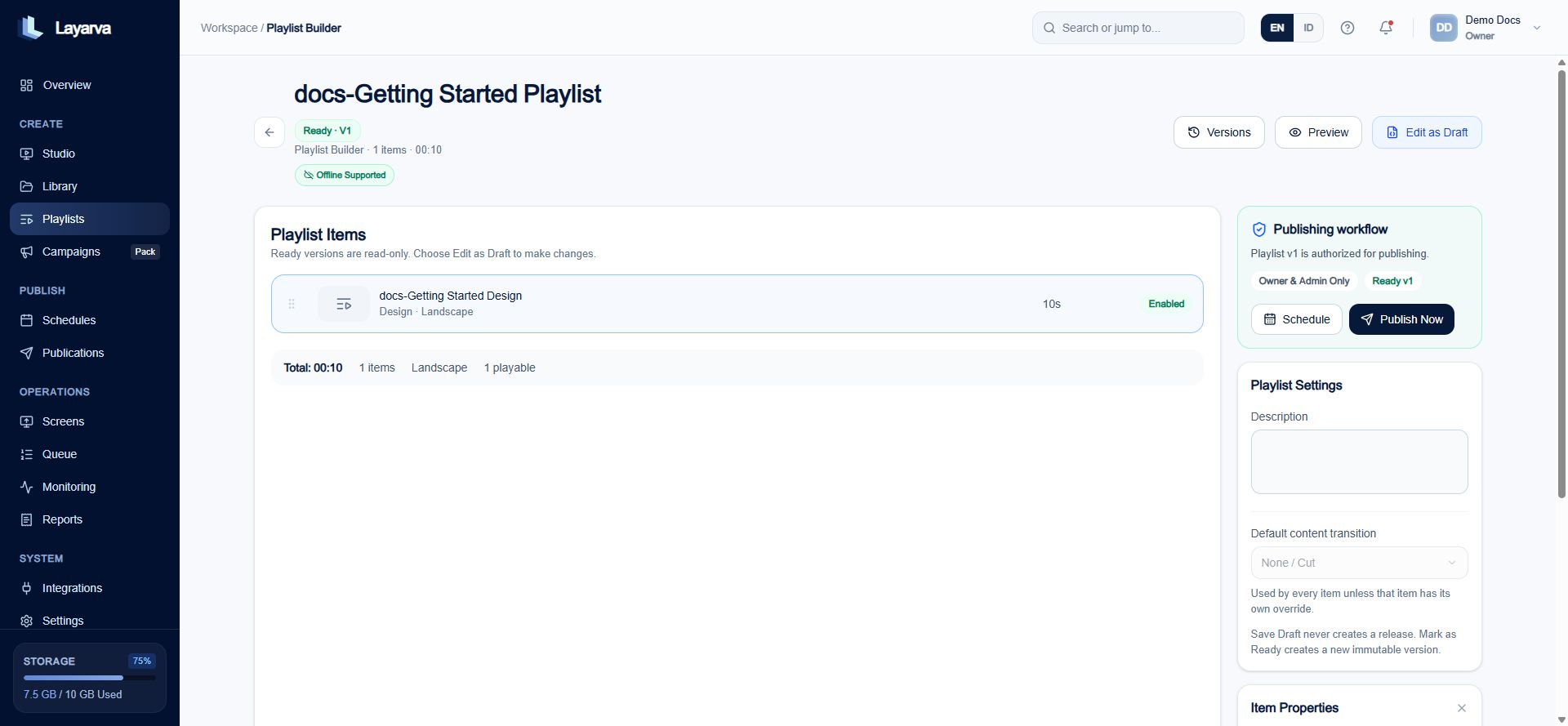
A Ready Playlist version is read-only and authorized for publishing.
- Select Publish Now.
- Choose an existing Channel, or select Create new Channel and enter a Channel name.
-
Select Publish Now in the dialog.
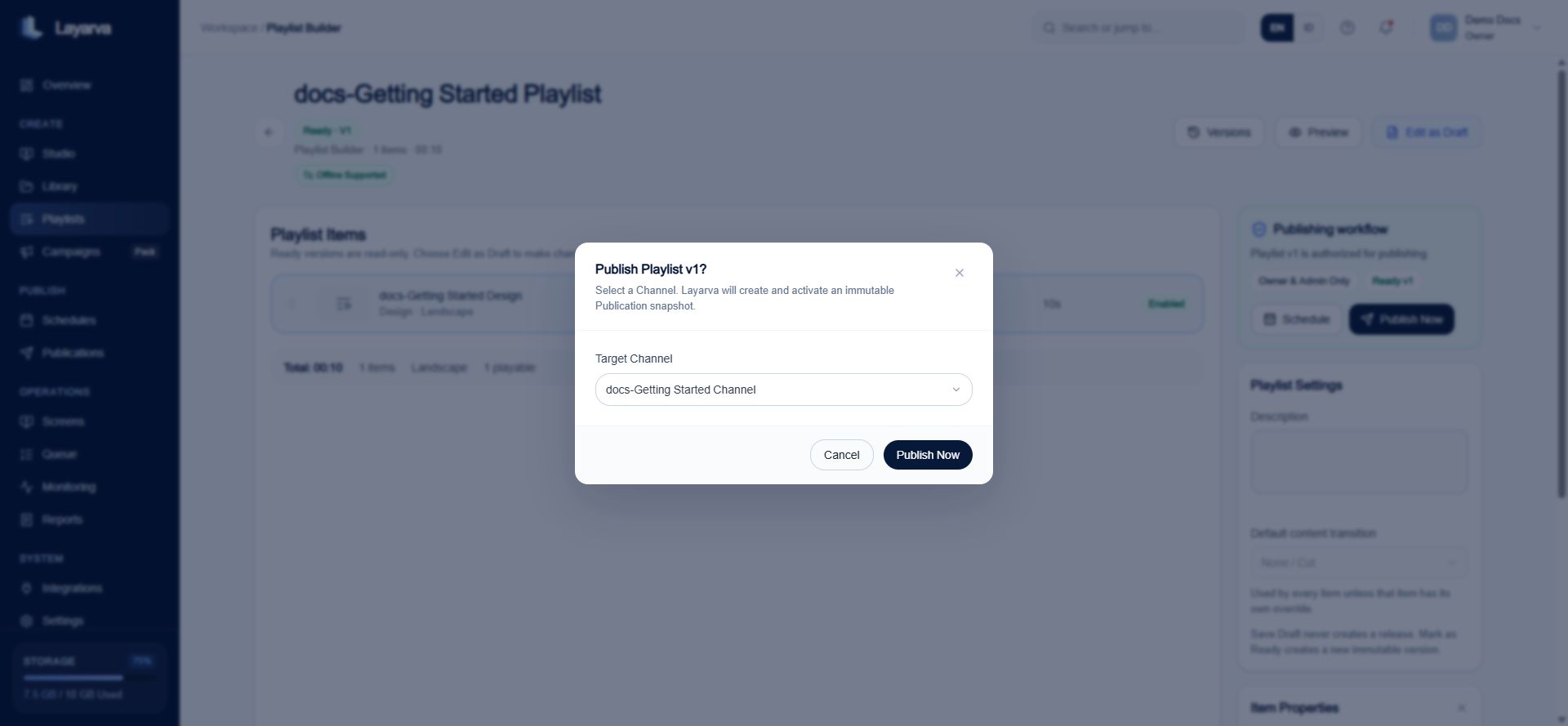
Publish a specific immutable Playlist version to a Channel.
- Open Publications to review the resulting deployment record.
Expected result
Publication History contains one immutable record for the Playlist version and Channel.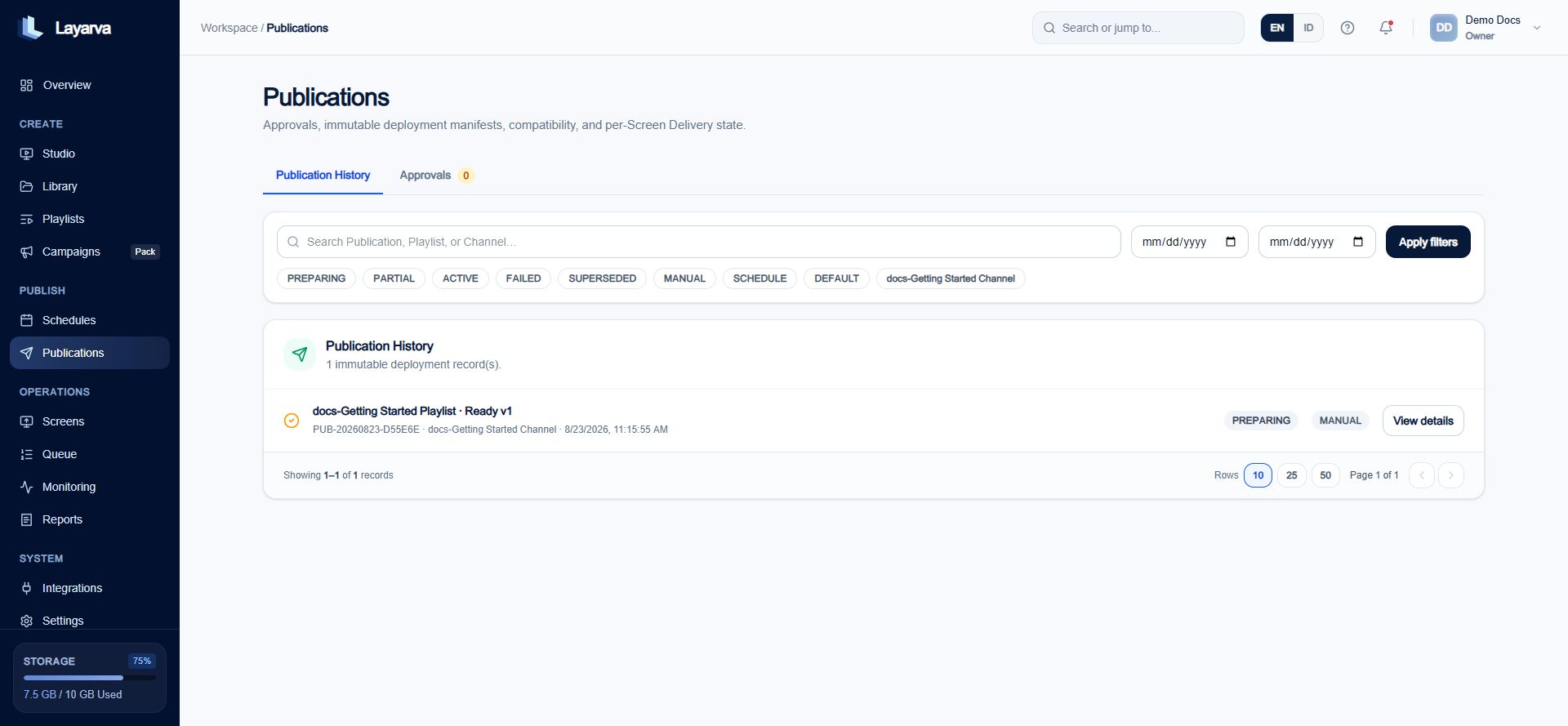
Publication History shows the immutable version, Channel, origin, and delivery status.
Important notes
- A Publication can remain PREPARING when its Channel has no paired Screen to receive it.
- Editing a Design or Playlist later does not modify an existing immutable Publication.
- To publish changes, create a new Ready Playlist version and publish that version.