

What you’ll accomplish
You will understand the two jobs of an Edge device, its network requirements, and what continues when internet access fails.What Edge is
Layarva Edge is a Windows or Android branch server. It synchronizes with the Platform and serves approved devices over LAN or Wi-Fi, using port7749 by default.
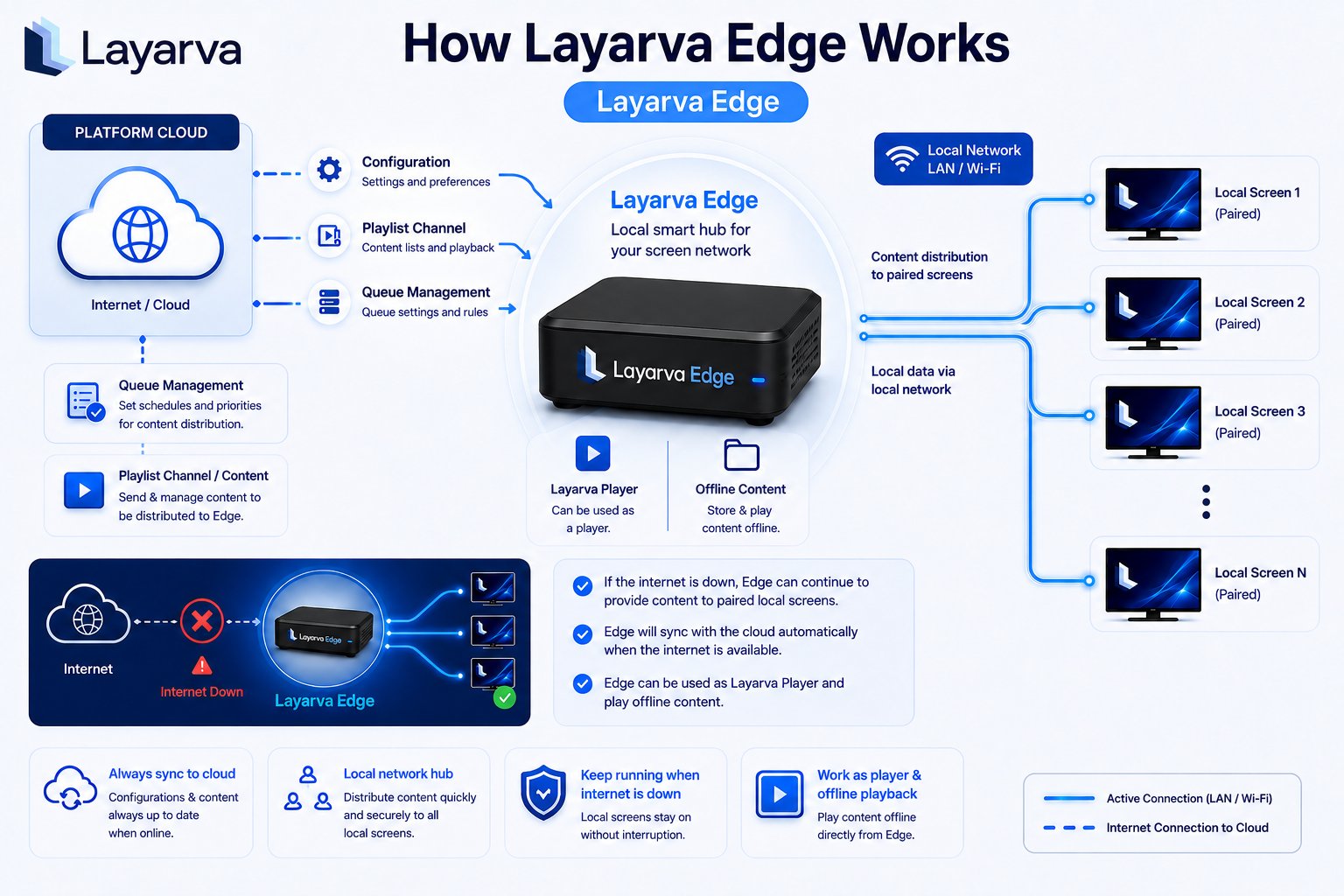
Layarva Edge synchronizes content and Queue configuration from the Platform and continues serving paired local devices when the WAN is unavailable.
One device, two mechanisms
These mechanisms can use the same physical Edge but must not be confused. Assigning a Screen does not automatically hand over its Queue Unit, and granting Queue authority does not automatically move every Screen.
Operational timing
The Edge clock remains untrusted until the device establishes wall-clock time after boot. A device with an untrusted clock cannot safely issue numbers for the correct business day.
During an outage
- Cached signage keeps playing on Screens assigned to that Edge.
- Local Queue Kiosks can issue tickets from allocated number blocks.
- Operators can use branch-only Edge PINs when cloud sign-in is unavailable.
- Queue operations are reconciled with the Platform when connectivity returns.
- Cloud webhooks are sent after reconciliation, in Platform order.
Important limits
- An Edge Screen cannot also use direct Cloud delivery.
- An unpaired or disabled Edge cannot accept a Screen handover.
- Queue live state is not an Offline Package feature; it requires Cloud or Edge runtime.
- Edge entitlement depends on the workspace plan and resolved add-ons.