

What you’ll accomplish
You will create an integration credential limited to one Queue Unit and selected services, then configure signed webhook delivery.Prerequisites
queue.managepermission.- A configured Queue Unit with at least one Category.
- A server-side integration client. Never place the credential in public browser code.
Create a Queue credential
- Open the Queue Unit and select External API.
- Select Create Credential.
- Enter a readable credential name and stable client ID.
- Select the operation scopes: issue tickets, read tickets, list services, or read live state.
- Select the exact service Categories the integration may access.
- Create the credential and copy the secret once into a secure server-side secret store.
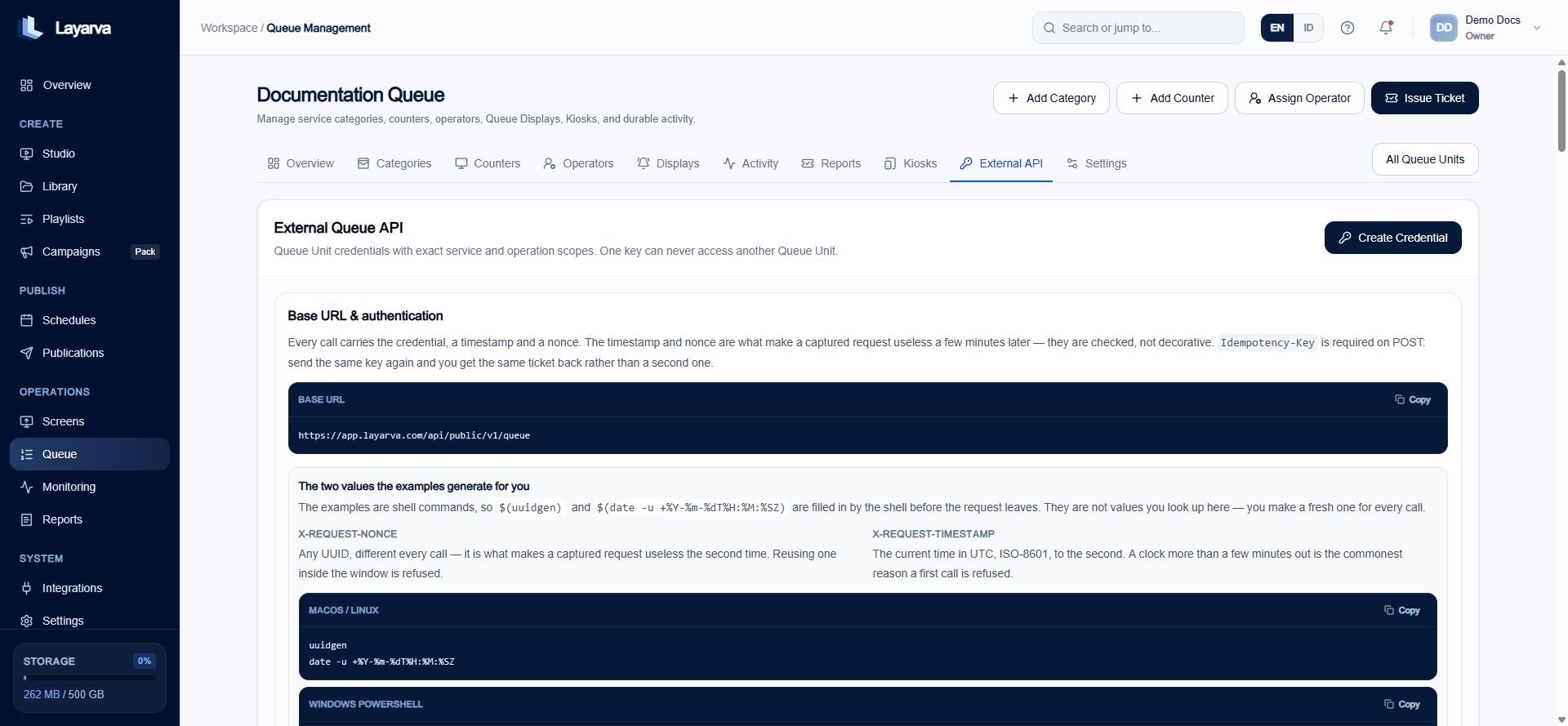
The External API page documents request freshness, idempotency, endpoints, responses, webhooks, and credential state for the selected Queue Unit.
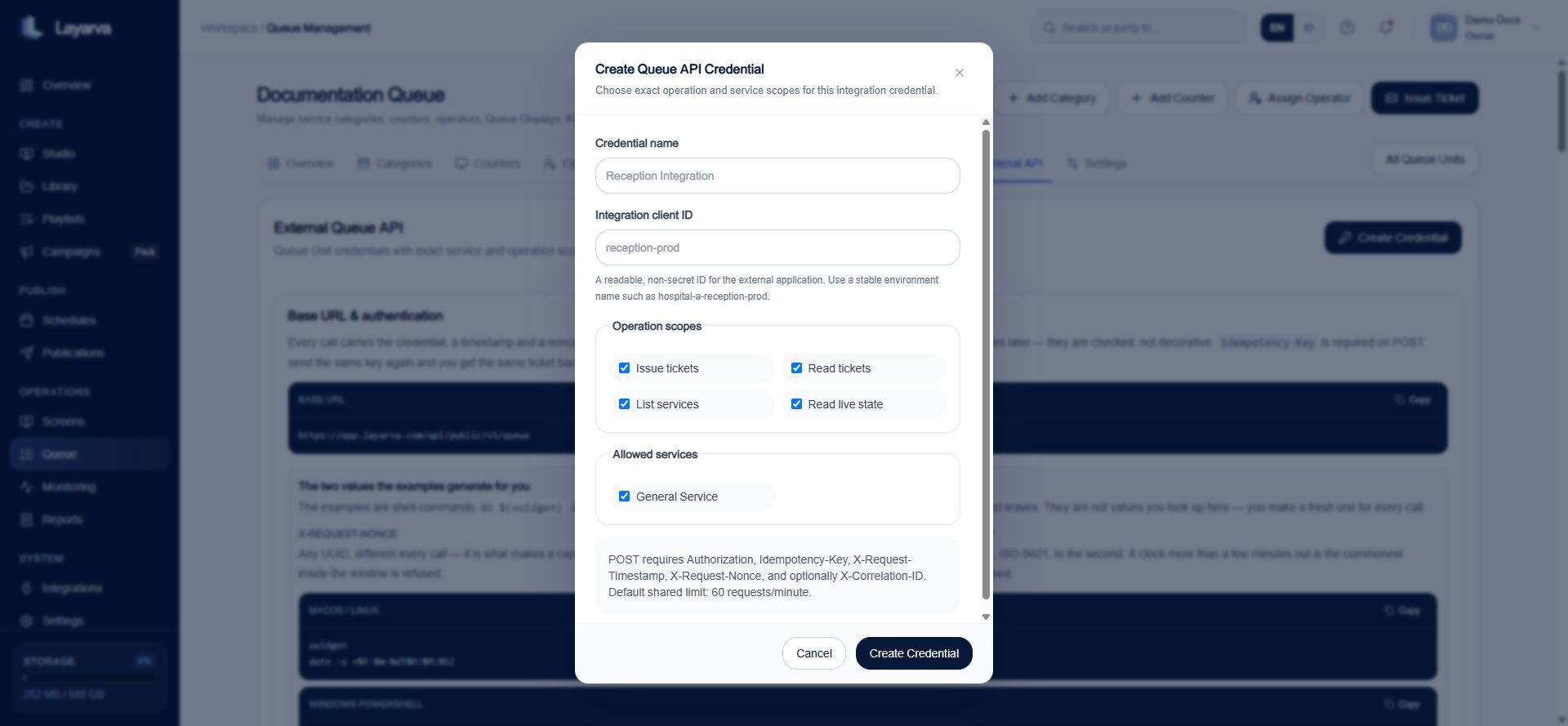
A Queue credential is scoped to exact operations and service Categories and cannot cross into another Queue Unit.
Request security
Every request uses:Authorization: Bearer <queue-api-key>- Optional
X-Correlation-IDfor tracing.
POST /tickets additionally uses:
X-Request-Timestampcontaining current UTC ISO-8601 time.- A unique
X-Request-Nonce. Idempotency-Key.
Configure a webhook endpoint
- Select Add endpoint.
- Enter a name and public HTTPS URL.
- Select completed and/or no-show ticket events.
- Save the endpoint and copy its signing secret securely.
- Use Send test before accepting production traffic.
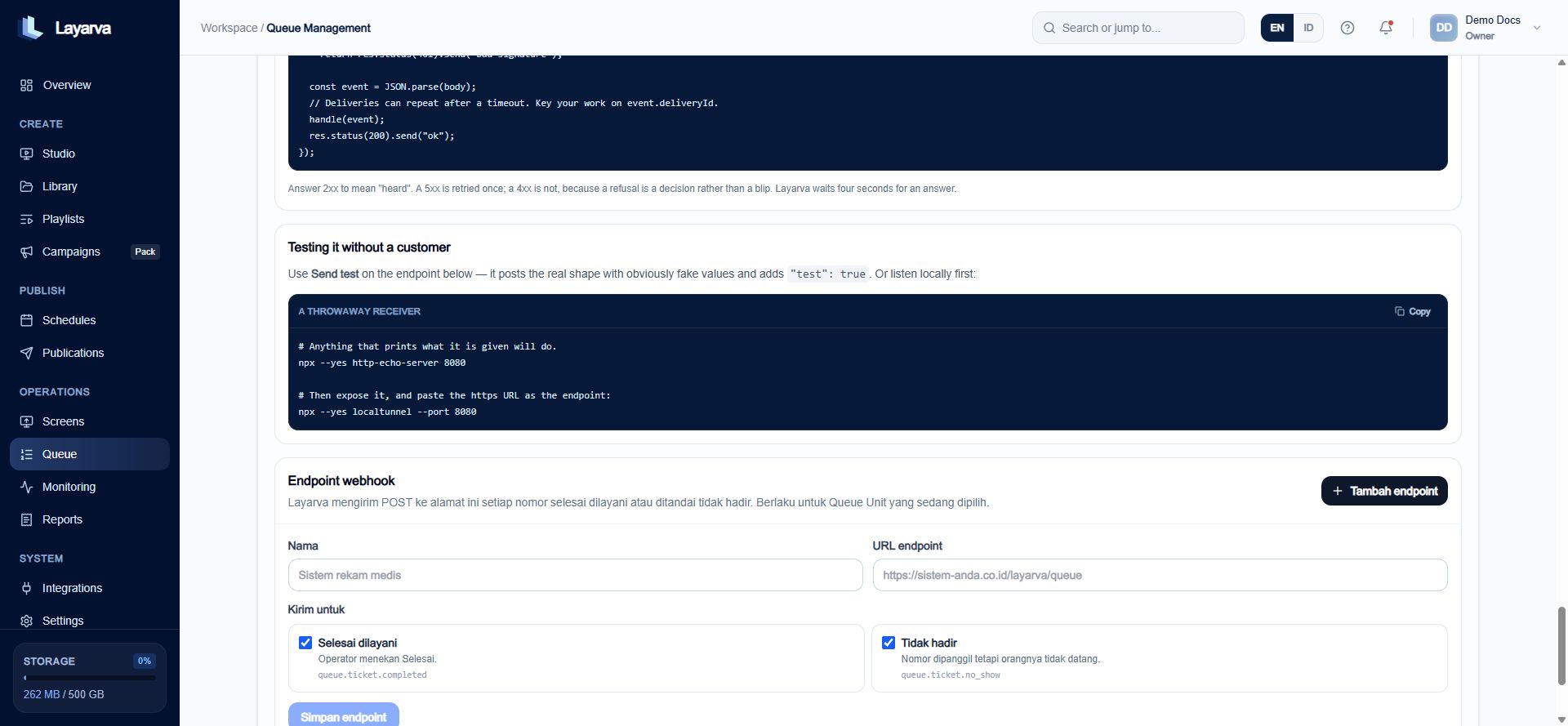
Queue webhooks can subscribe independently to completed and no-show ticket events.