

What you’ll accomplish
You will filter the monitoring snapshot, interpret health evidence, and close an issue when the underlying condition has been resolved.Prerequisites
monitoring.viewto read the dashboard.monitoring.manageto resolve issues. Owner, Admin, and Operator have operational access.
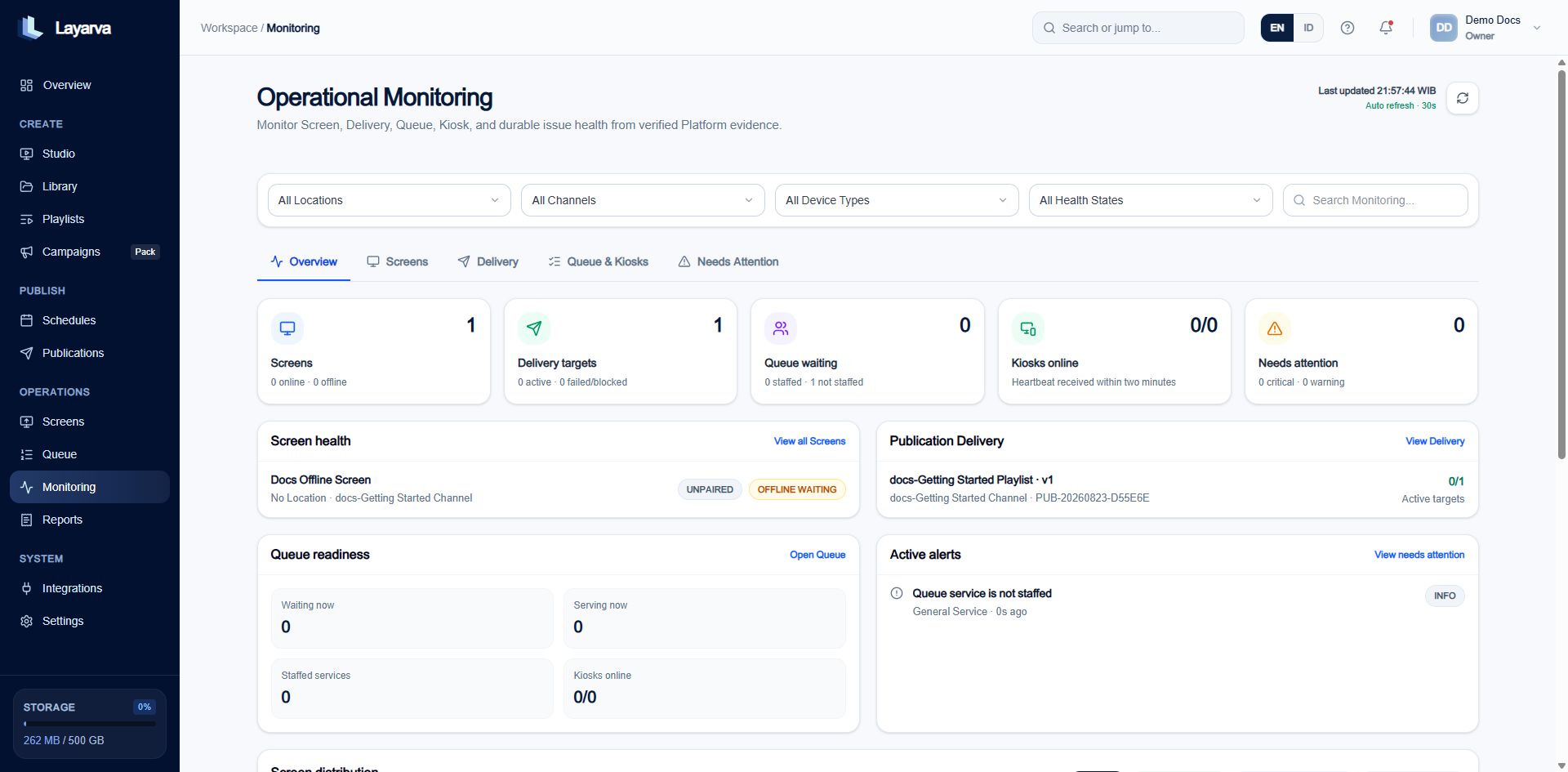
Operational Monitoring combines Screen, Publication delivery, Queue readiness, Kiosk, alert, and location evidence in one auto-refreshing snapshot.
What is monitored
- Screen connectivity derived from authorized heartbeat evidence.
- Screen content freshness and delivery synchronization.
- Actual output resolution and Player type.
- Verified, user-defined, or unknown location evidence.
- Publication delivery acknowledgement.
- Queue Display and staffed-service readiness.
- Kiosk heartbeat and browser print-job evidence.
- Durable monitoring issues and their event history.
Screen connectivity
Cloud Players report every 30 seconds. Three missed intervals—90 seconds—derive Offline. A fresh authorized heartbeat returns the Screen to Online. An Offline-content Screen always appears offline because it is not designed to heartbeat. That is different from a Cloud Screen that unexpectedly stopped reporting.Use the dashboard
- Filter by Location, Channel, device type, or health state.
- Use Screens for heartbeat, resolution, Player, and location evidence.
- Use Delivery for Publication staging and acknowledgement.
- Use Queue & Kiosks for service staffing, device sessions, and print jobs.
- Use Needs Attention for durable issues.
- Open an issue, verify the evidence, and resolve it only after the condition is corrected.