> ## Documentation Index
> Fetch the complete documentation index at: https://docs.layarva.com/llms.txt
> Use this file to discover all available pages before exploring further.
# Understand Publishing
> Understand immutable Playlist Versions, Publication manifests, compatibility preflight, policies, and delivery status.
## What you'll accomplish
You will understand every boundary between an editable Playlist and content running on a Screen, including policy approval and delivery evidence.
## Prerequisites
* A valid Playlist draft.
* A Channel with at least one Screen when delivery evidence is required.
* The permission required by the workspace publishing policy.
## From draft to Screen
```text theme={null}
Playlist draft
→ Mark Ready
→ immutable Playlist Version
→ Publication manifest
→ Channel
→ compatible Screens
```
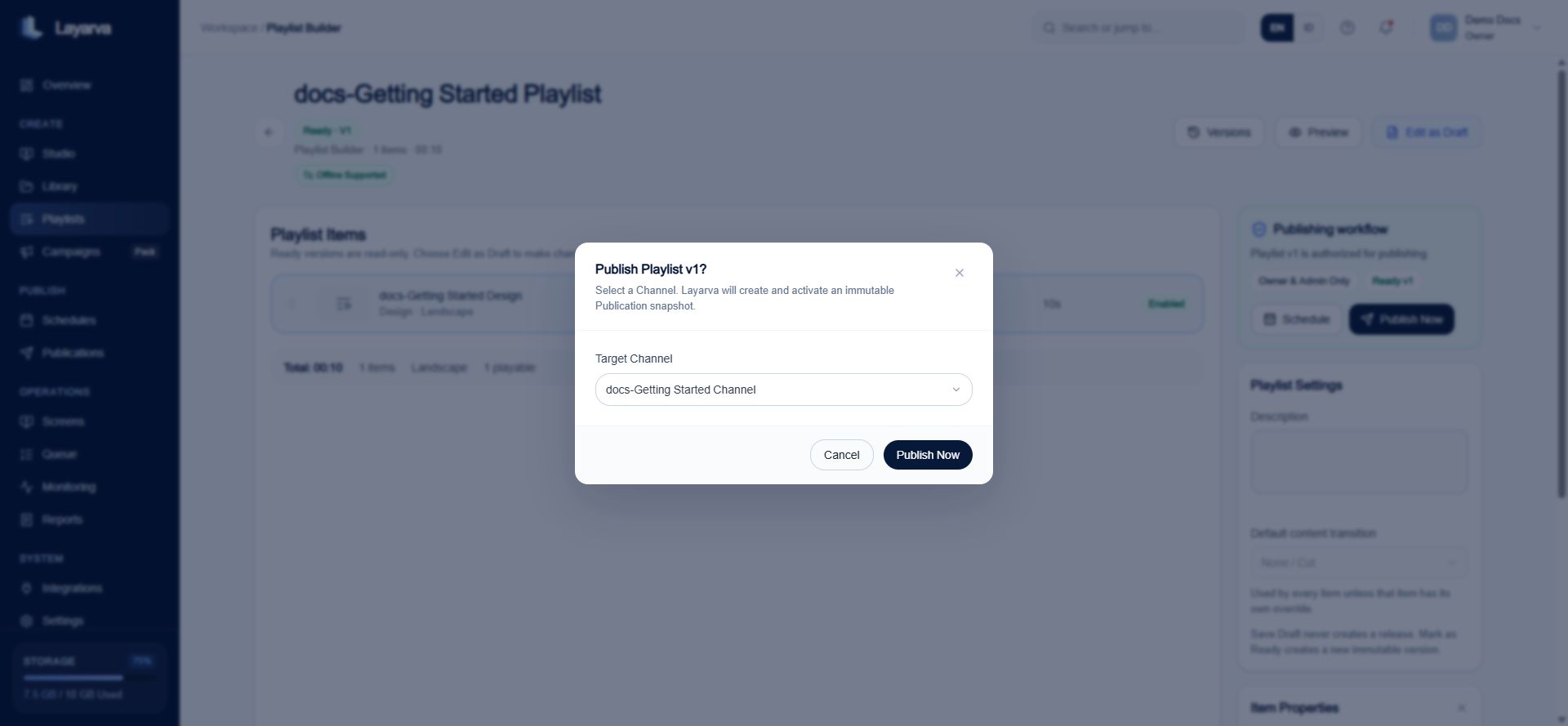
Publishing never asks a Player to resolve the latest mutable draft. It pins an exact Ready Playlist Version so playback and reports can always identify what was delivered.
## Playlist Version
Marking a Playlist **Ready** freezes its item order and referenced source versions. Future edits return to a draft and require a new Ready version.
Item runtime is bounded by the configured duration and by referenced media. A video cannot be treated as longer than its actual runtime, and a Studio Design containing video is bounded by its longest referenced video.
## Publication manifest
A Publication sends one exact Playlist Version to one Channel. Its manifest includes:
* Ordered items and their source versions.
* Resource inventory.
* SHA-256 checksum and byte size for every resource.
* Availability and dependency metadata.
* Channel and publication identity.
 ## Compatibility preflight
Each target Screen produces a preflight result:
| Result | Meaning |
| ------------ | ------------------------------------------------------------------------------------------- |
| **Pass** | Reported Player capabilities and storage budget can stage the Publication. |
| **Warning** | Capability or storage evidence is incomplete; the Player must validate again while staging. |
| **Blocking** | A reported storage budget is insufficient or a known capability is incompatible. |
Across several Screens, all Pass produces Pass and all Blocking produces Blocking. A mixed set—or no reported Screen capability—produces Warning.
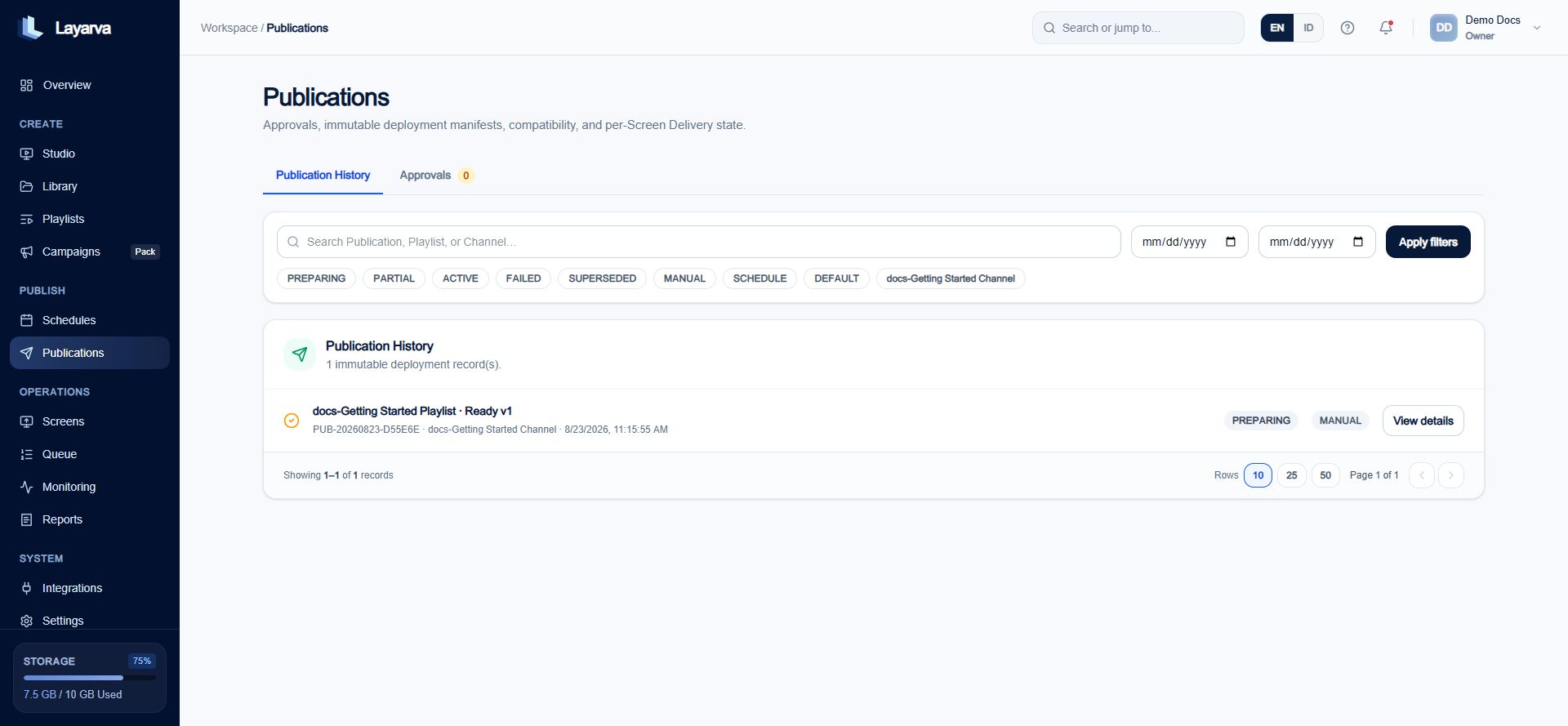
## Operational Publication status
| Status | Meaning |
| ------------- | --------------------------------------------------------------- |
| **Preparing** | No compatible Screen is active yet. |
| **Active** | Every compatible Screen acknowledged the Publication as active. |
| **Partial** | Some compatible Screens are active and others are not. |
| **Failed** | Compatible Screen delivery failed. |
Publication status describes the distribution record. It is not the same as one Screen's online/offline state.
## Compatibility preflight
Each target Screen produces a preflight result:
| Result | Meaning |
| ------------ | ------------------------------------------------------------------------------------------- |
| **Pass** | Reported Player capabilities and storage budget can stage the Publication. |
| **Warning** | Capability or storage evidence is incomplete; the Player must validate again while staging. |
| **Blocking** | A reported storage budget is insufficient or a known capability is incompatible. |
Across several Screens, all Pass produces Pass and all Blocking produces Blocking. A mixed set—or no reported Screen capability—produces Warning.
## Operational Publication status
| Status | Meaning |
| ------------- | --------------------------------------------------------------- |
| **Preparing** | No compatible Screen is active yet. |
| **Active** | Every compatible Screen acknowledged the Publication as active. |
| **Partial** | Some compatible Screens are active and others are not. |
| **Failed** | Compatible Screen delivery failed. |
Publication status describes the distribution record. It is not the same as one Screen's online/offline state.
 ## Workspace publishing policies
| Policy | Who can publish? |
| ---------------------- | -------------------------------------------------------------- |
| **Direct Publishing** | Any member who has `publish.execute`. |
| **Owner & Admin Only** | Owner or Admin who also has `publish.execute`. |
| **Approval Required** | An independent reviewer must approve the exact source version. |
Approval for version 2 does not approve version 3. The request creator cannot approve their own request.
## Publish now or use timing
* **Publish Now** creates an immediate Publication.
* A **Schedule** temporarily activates one pinned Playlist Version on one Channel.
* A **Campaign** groups several Placement plans and creates ordinary Schedules only when launched.
## Troubleshooting
* If status stays **Preparing**, verify that the Channel has a Screen and that the Player reports compatible capabilities.
* If preflight is **Blocking**, check available Player storage and the manifest resource size.
* If the Screen keeps older content, verify its Channel, playback-enabled state, connectivity, and latest acknowledgement.
* If approval is rejected, confirm that the reviewer is independent and the request still points to the current exact version.
## Related guides
* [Create a Playlist](/studio/playlists)
* [Create and Manage Schedules](/publishing/schedules)
* [Campaigns and Schedules](/publishing/campaigns)
* [Monitor Operations](/monitoring/overview)
## Workspace publishing policies
| Policy | Who can publish? |
| ---------------------- | -------------------------------------------------------------- |
| **Direct Publishing** | Any member who has `publish.execute`. |
| **Owner & Admin Only** | Owner or Admin who also has `publish.execute`. |
| **Approval Required** | An independent reviewer must approve the exact source version. |
Approval for version 2 does not approve version 3. The request creator cannot approve their own request.
## Publish now or use timing
* **Publish Now** creates an immediate Publication.
* A **Schedule** temporarily activates one pinned Playlist Version on one Channel.
* A **Campaign** groups several Placement plans and creates ordinary Schedules only when launched.
## Troubleshooting
* If status stays **Preparing**, verify that the Channel has a Screen and that the Player reports compatible capabilities.
* If preflight is **Blocking**, check available Player storage and the manifest resource size.
* If the Screen keeps older content, verify its Channel, playback-enabled state, connectivity, and latest acknowledgement.
* If approval is rejected, confirm that the reviewer is independent and the request still points to the current exact version.
## Related guides
* [Create a Playlist](/studio/playlists)
* [Create and Manage Schedules](/publishing/schedules)
* [Campaigns and Schedules](/publishing/campaigns)
* [Monitor Operations](/monitoring/overview)