> ## Documentation Index
> Fetch the complete documentation index at: https://docs.layarva.com/llms.txt
> Use this file to discover all available pages before exploring further.
# Install and Operate the Android Player
> Select compatible Android hardware, install the correct APK, choose Cloud, Edge, or Offline, and use on-device diagnostics.
## Supported Android hardware
The current stable Android Player is **0.40.0 (build 40)**. Android Player requirements are independent from the plain-browser Cloud Player requirements.
| Component | Minimum that can run | Recommended for deployment |
| -------------- | -------------------------------------------------------- | ------------------------------------------------ |
| Android | Android 9 / API 28 | Android 11 / API 30 or newer |
| Processor | ARM 32-bit `armeabi-v7a` | ARM 64-bit `arm64-v8a` |
| Memory | 1 GB | 2 GB or more |
| Free storage | 1 GB | 2 GB or more |
| Graphics | OpenGL ES 2.0, texture size 2048 | OpenGL ES 3.0, texture size 4096+ |
| Device browser | Not required because the APK includes a bundled engine | Chromium 90+ for the lighter device-browser path |
| Network | Required for Cloud; local LAN for Edge; none for Offline | Ethernet where available |
Android 8.1/API 27 and older cannot install the APK. Memory close to 1 GB can work, but the Player may recover its renderer more often. Do not purchase a fleet based only on the minimum row; test the exact hardware and content first.
## Choose the APK for the processor
| APK | Approximate size | Device |
| -------------------------------------- | ---------------: | ----------------------------------------- |
| `LayarvaPlayer-0.40.0-arm64-v8a.apk` | 210 MB | Preferred for current ARM 64-bit boxes |
| `LayarvaPlayer-0.40.0-armeabi-v7a.apk` | 177 MB | ARM 32-bit and compatible older ARM boxes |
| `LayarvaPlayer-0.40.0-x86_64.apk` | 229 MB | Intel 64-bit devices and emulators |
| `LayarvaPlayer-0.40.0-x86.apk` | 242 MB | Intel 32-bit devices and emulators |
The published APK signing certificate SHA-256 is:
```text theme={null}
2ea7abc427d3174c4c809ddab9f7d8da7e22afbf1577381bc31d9e2dc4532286
```
Use only Layarva download sources. A different certificate means Android will treat the file as a different application and it must not be installed as a Layarva update.
## Check the box before buying more
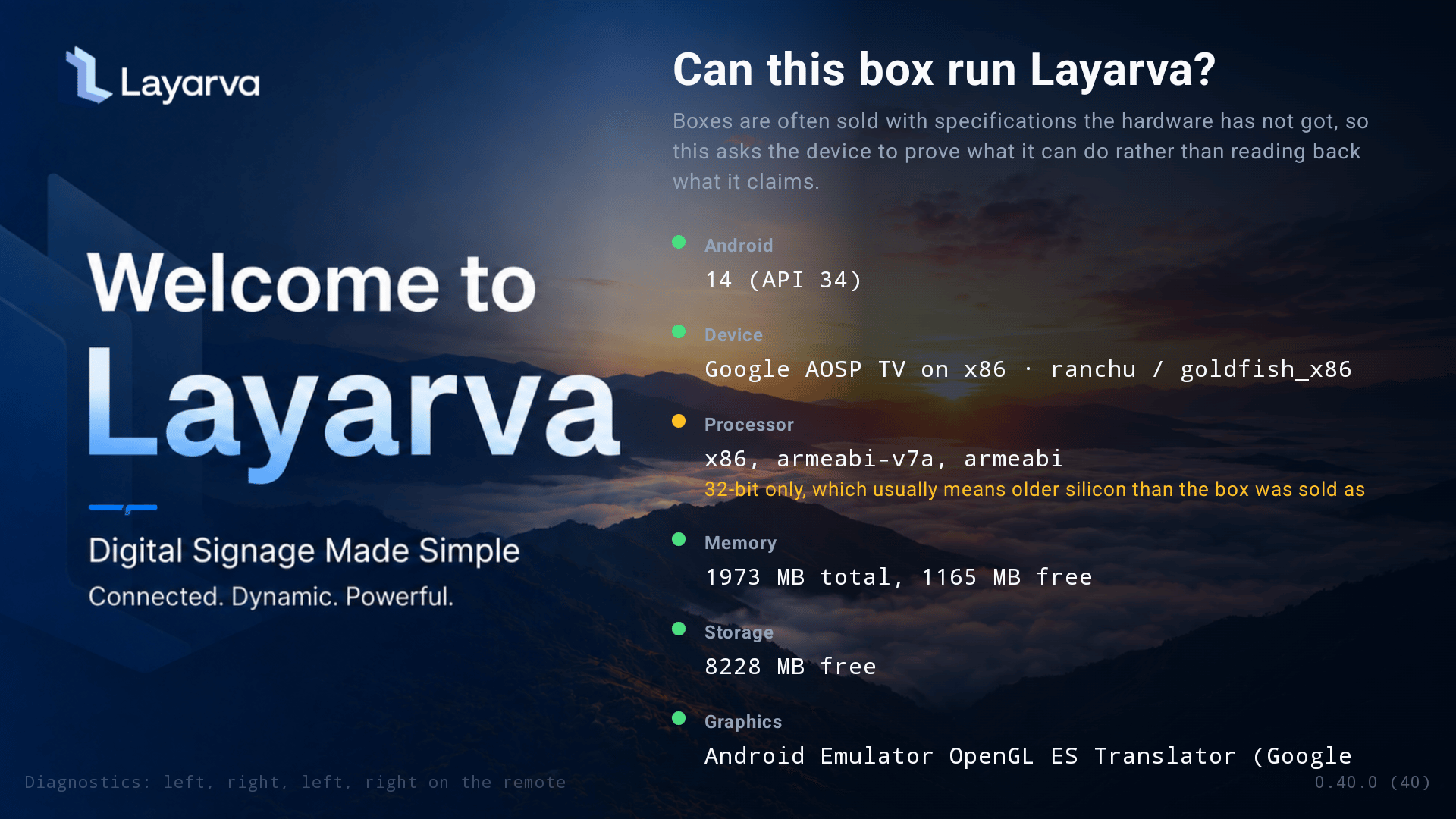
From the Android Player welcome screen, select **Check this device**. The native check reads Android/API level, manufacturer and board, processor ABI, kernel-reported memory, free storage, GPU and texture ceiling, browser engine, and actual WebGL behavior.
 | Verdict | Meaning |
| ------------------------- | -------------------------------------------------------------------------- |
| **Supported** | Every measured capability is acceptable. |
| **Supported with limits** | The Player runs, but the listed content or performance limitation applies. |
| **Not supported** | A hard requirement failed. |
| **Inconclusive** | A potentially decisive capability could not be measured. |
| Verdict | Meaning |
| ------------------------- | -------------------------------------------------------------------------- |
| **Supported** | Every measured capability is acceptable. |
| **Supported with limits** | The Player runs, but the listed content or performance limitation applies. |
| **Not supported** | A hard requirement failed. |
| **Inconclusive** | A potentially decisive capability could not be measured. |
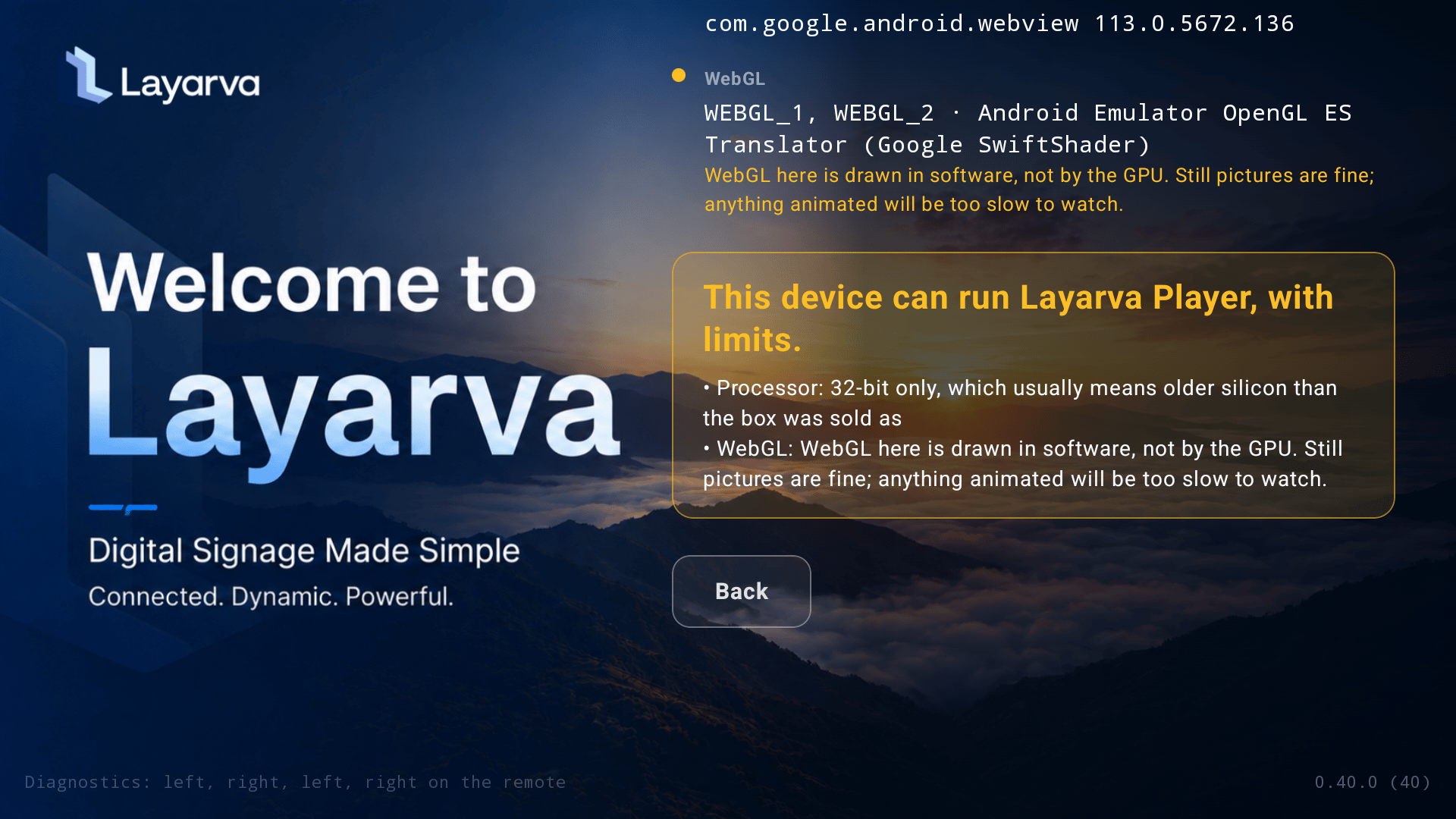 Yellow is not a failed installation. A 32-bit processor, low texture ceiling, tight memory, or software WebGL means the device needs lighter content or reduced render resolution. A missing OpenGL context or Android below API 28 is a hard failure.
## Choose where content comes from
Yellow is not a failed installation. A 32-bit processor, low texture ceiling, tight memory, or software WebGL means the device needs lighter content or reduced render resolution. A missing OpenGL context or Android below API 28 is a hard failure.
## Choose where content comes from
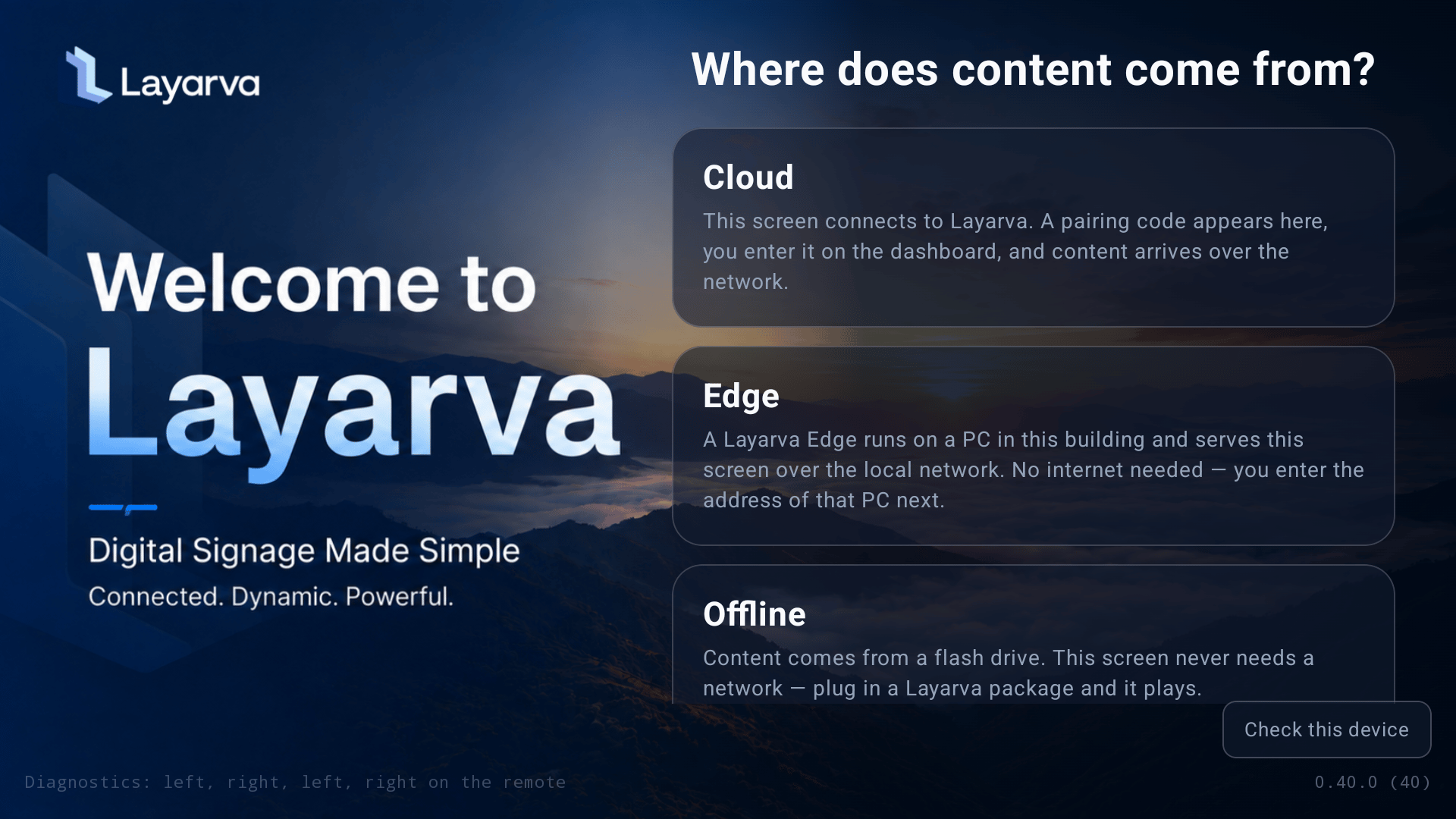 | Mode | Source | Network dependency |
| ----------- | ----------------------------------- | ------------------------------------------------ |
| **Cloud** | `app.layarva.com` | Internet for synchronization and monitoring |
| **Edge** | A Layarva Edge PC in the branch | LAN to Edge; Edge synchronizes with the Platform |
| **Offline** | A signed `.lvapkg` on a flash drive | No network required for playback |
Changing the source does not erase the other mode's identity. Cloud pairing remains stored when switching to Offline, and an imported Offline package remains available when returning to Cloud.
## Pair in Cloud mode
1. Select **Cloud**.
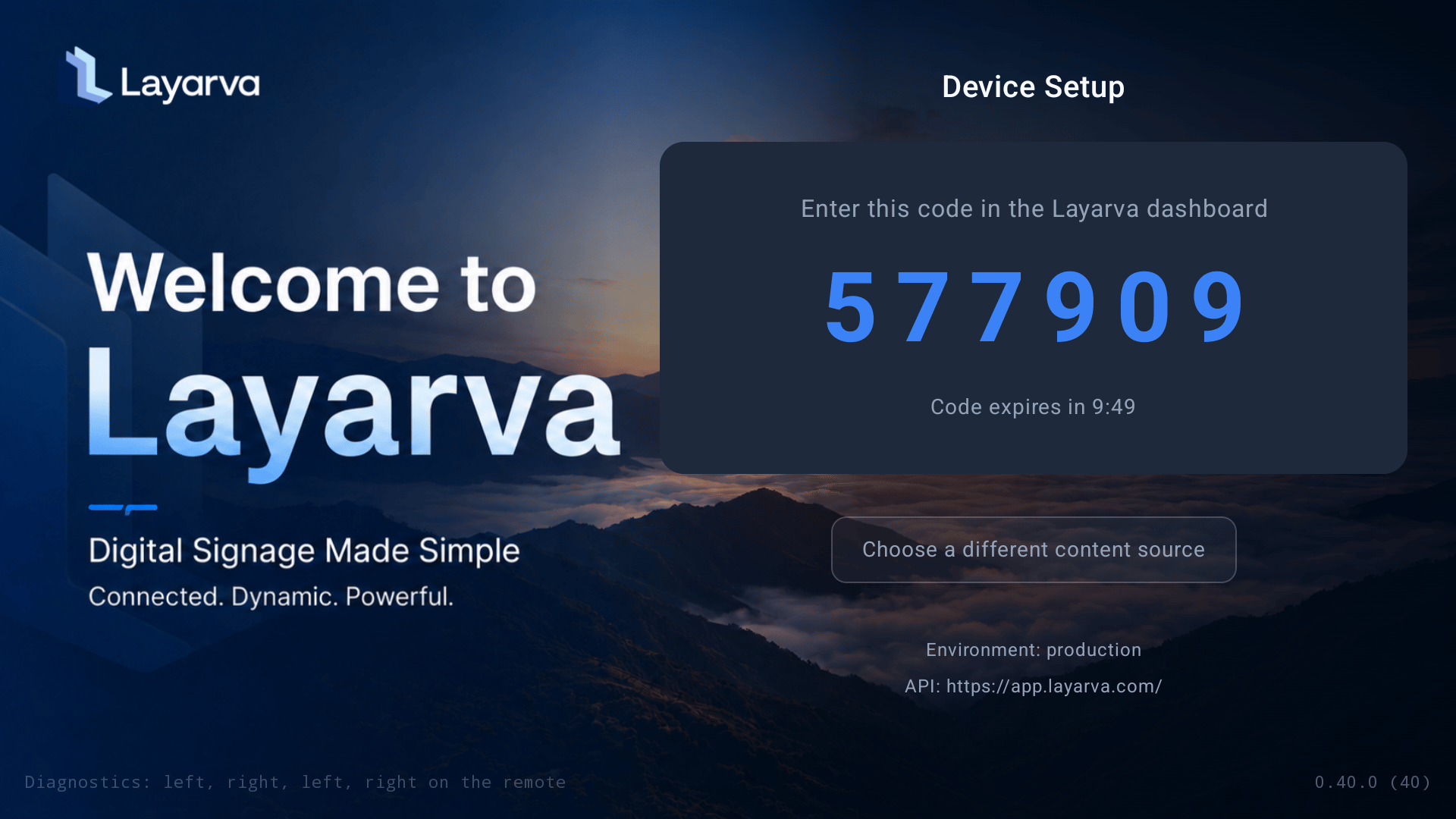
2. Keep the six-digit code visible.
3. In Layarva, open **Screens → Pair Screen**, choose **Cloud**, and enter the code.
4. Configure the Screen name, Channel, Location, output, fit, and optional unlock PIN.
5. Complete pairing and wait for the first Publication.
| Mode | Source | Network dependency |
| ----------- | ----------------------------------- | ------------------------------------------------ |
| **Cloud** | `app.layarva.com` | Internet for synchronization and monitoring |
| **Edge** | A Layarva Edge PC in the branch | LAN to Edge; Edge synchronizes with the Platform |
| **Offline** | A signed `.lvapkg` on a flash drive | No network required for playback |
Changing the source does not erase the other mode's identity. Cloud pairing remains stored when switching to Offline, and an imported Offline package remains available when returning to Cloud.
## Pair in Cloud mode
1. Select **Cloud**.
2. Keep the six-digit code visible.
3. In Layarva, open **Screens → Pair Screen**, choose **Cloud**, and enter the code.
4. Configure the Screen name, Channel, Location, output, fit, and optional unlock PIN.
5. Complete pairing and wait for the first Publication.
 ## Import Offline content
Copy the signed `.lvapkg` to the root of a flash drive and insert it into the Player. In Offline mode, the Player detects the package, verifies its signature, manifest, files, target, renderer compatibility, and lease before installing anything.
## Import Offline content
Copy the signed `.lvapkg` to the root of a flash drive and insert it into the Player. In Offline mode, the Player detects the package, verifies its signature, manifest, files, target, renderer compatibility, and lease before installing anything.
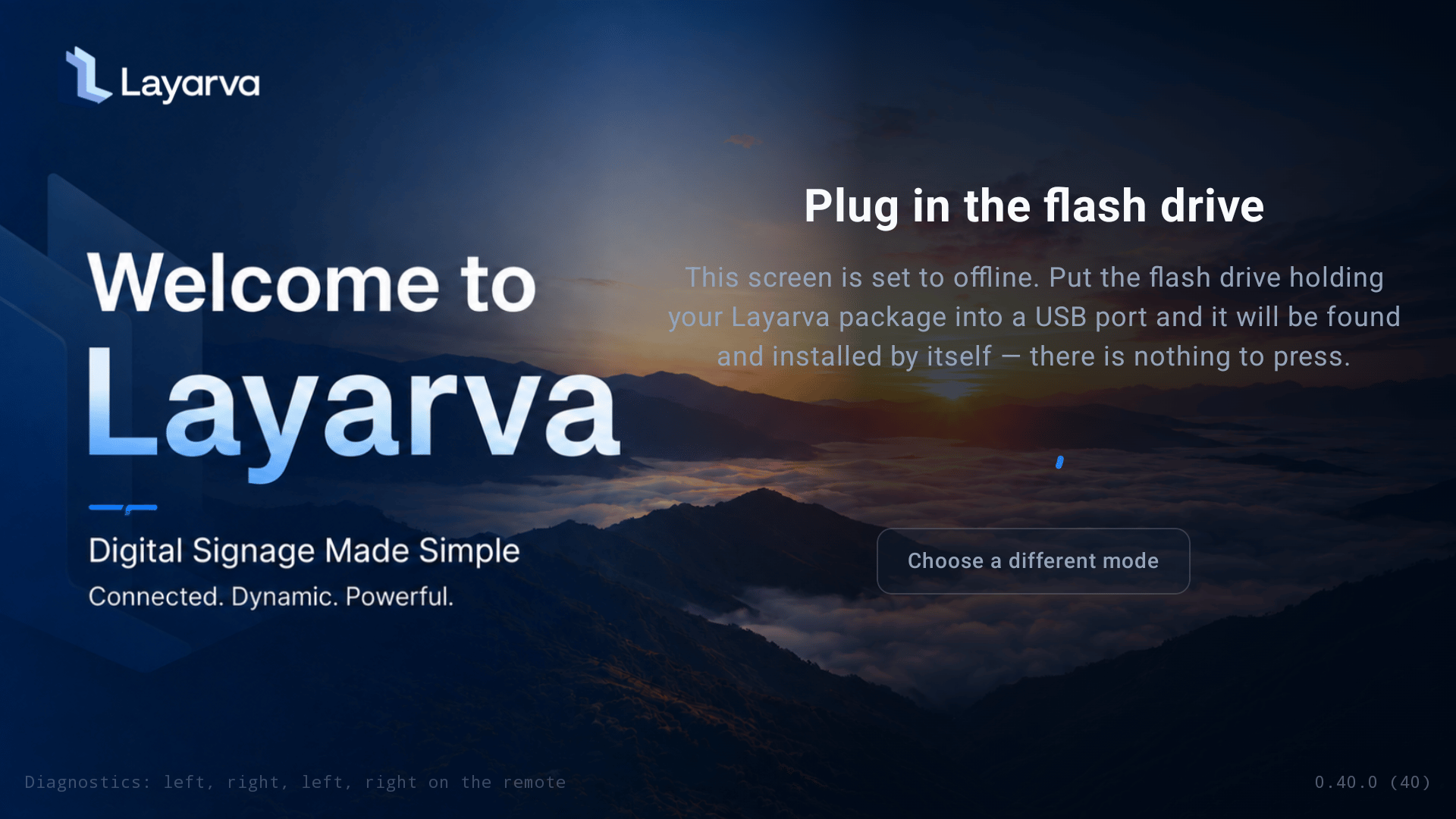 The current content continues playing while a replacement package is verified.
## Open diagnostics
Use any supported method:
1. Press **Left, Right, Left, Right** on the remote, with no more than 1.5 seconds between presses.
2. Press the remote's **Info** or **Settings** button.
3. On a touch device, press and hold the lower-right corner.
If unlock protection is enabled, diagnostics requests the Screen PIN first.
### Identify the installation
The current content continues playing while a replacement package is verified.
## Open diagnostics
Use any supported method:
1. Press **Left, Right, Left, Right** on the remote, with no more than 1.5 seconds between presses.
2. Press the remote's **Info** or **Settings** button.
3. On a touch device, press and hold the lower-right corner.
If unlock protection is enabled, diagnostics requests the Screen PIN first.
### Identify the installation
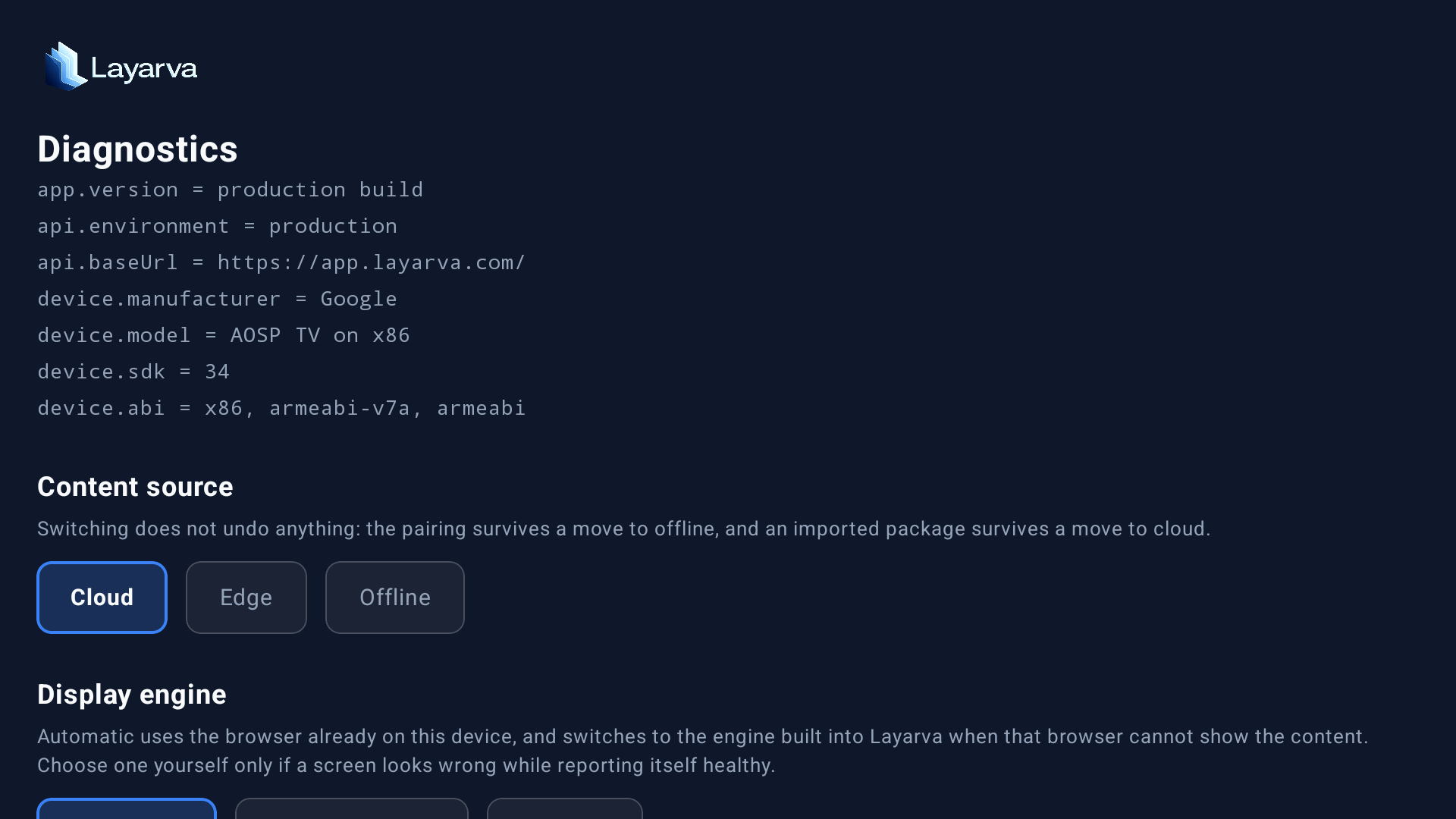 Read `app.version`, `api.environment`, `api.baseUrl`, manufacturer, model, SDK, and ABI to support. These fields establish which build, server, and APK architecture are actually running.
### Display engine and render resolution
Read `app.version`, `api.environment`, `api.baseUrl`, manufacturer, model, SDK, and ABI to support. These fields establish which build, server, and APK architecture are actually running.
### Display engine and render resolution
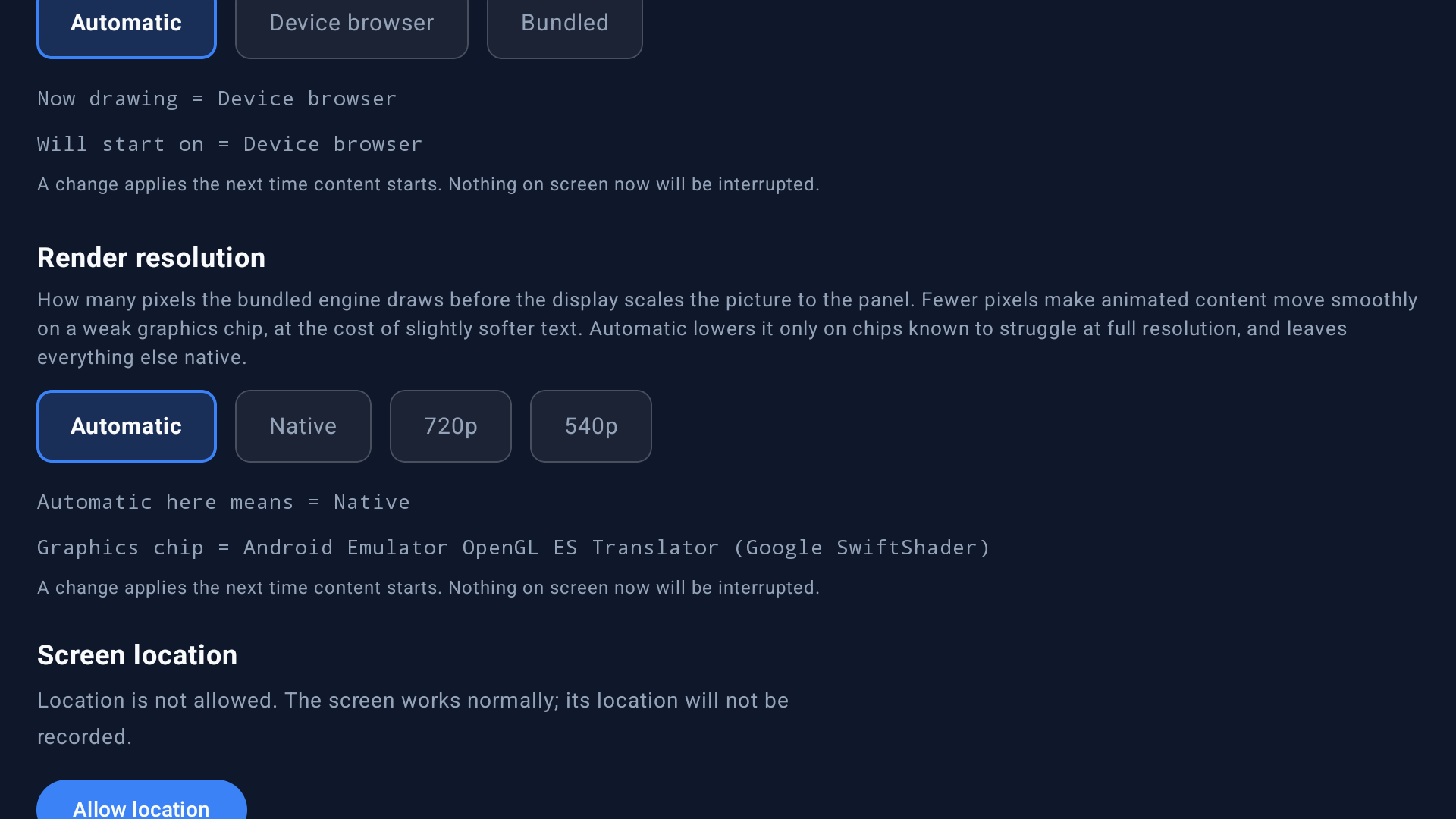 * **Automatic** uses the device browser and can move to the bundled engine when needed. Use this for normal operation.
* **Device browser** forces the Android WebView.
* **Bundled** forces the engine included in the APK.
* **Native** render resolution produces the sharpest image.
* **720p** or **540p** reduces shader load on weak GPUs such as Mali-400/450/470.
Changes apply when the next content renderer starts; the content currently on screen is not interrupted.
### Location, logs, release, and packages
* **Automatic** uses the device browser and can move to the bundled engine when needed. Use this for normal operation.
* **Device browser** forces the Android WebView.
* **Bundled** forces the engine included in the APK.
* **Native** render resolution produces the sharpest image.
* **720p** or **540p** reduces shader load on weak GPUs such as Mali-400/450/470.
Changes apply when the next content renderer starts; the content currently on screen is not interrupted.
### Location, logs, release, and packages
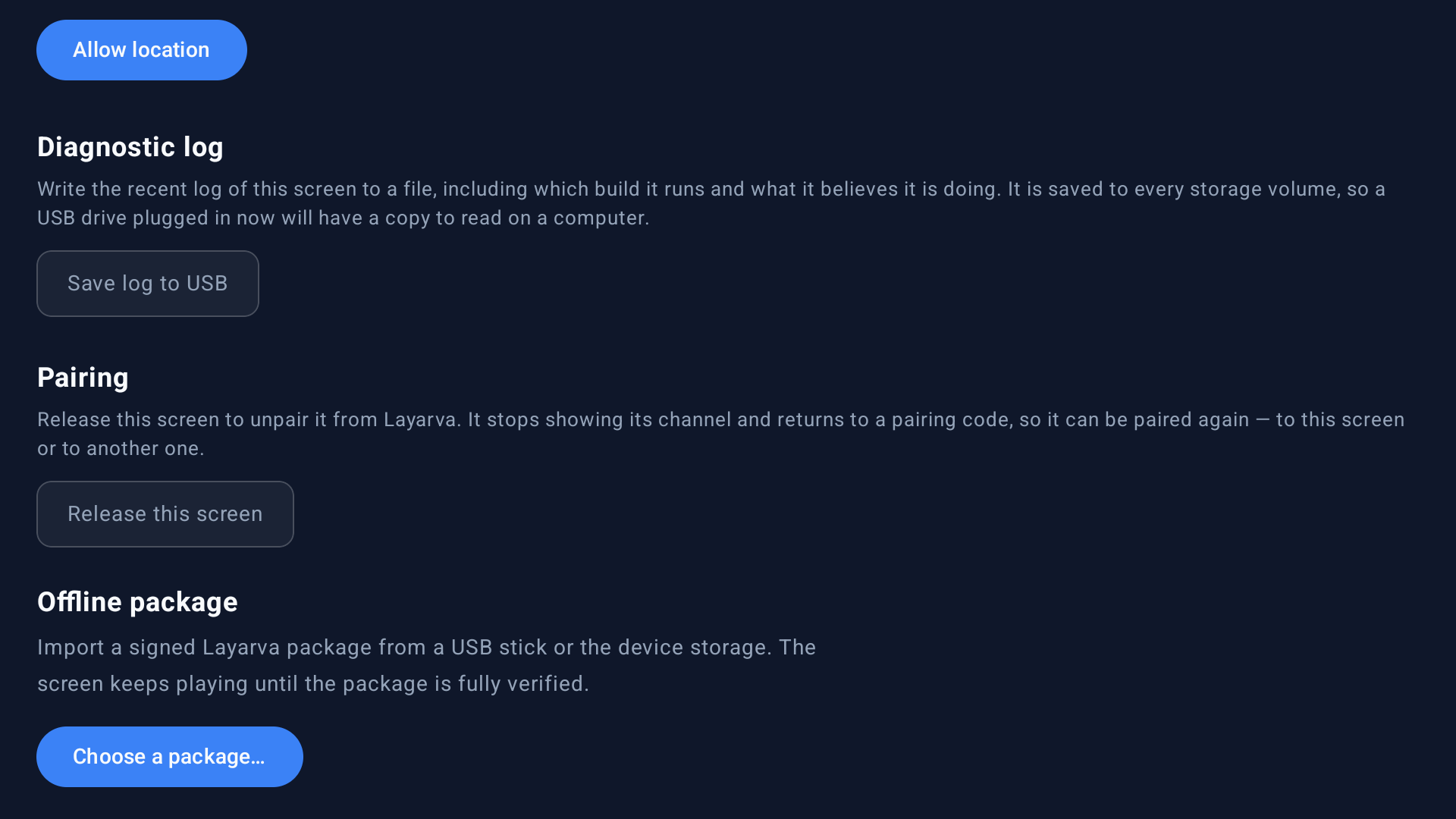 * **Allow location** is optional. Denial does not stop playback.
* **Save log to USB** writes the recent build and playback diagnostics to attached storage.
* **Release this screen** removes the Cloud pairing and returns to a pairing code.
* **Choose a package** scans attached and device storage for `.lvapkg` files.
## Guidance for weak devices
An ARM 32-bit Android 9 box with a Mali-450 and approximately 1 GB RAM can run static content and H.264 video, but animated WebGL content is demanding. Leave engine selection on Automatic and use 720p or 540p render resolution when animation stutters.
For new purchases, choose ARM 64-bit, at least 2 GB RAM, 2 GB free storage, and a GPU with a 4096-or-larger texture ceiling.
## Related guides
* [Check Device Compatibility](/screens/device-check)
* [Add a Screen](/screens/add-screen)
* [Generate Offline Content](/screens/offline-content)
* [Cloud, Edge, and Offline Delivery](/screens/delivery-modes)
* **Allow location** is optional. Denial does not stop playback.
* **Save log to USB** writes the recent build and playback diagnostics to attached storage.
* **Release this screen** removes the Cloud pairing and returns to a pairing code.
* **Choose a package** scans attached and device storage for `.lvapkg` files.
## Guidance for weak devices
An ARM 32-bit Android 9 box with a Mali-450 and approximately 1 GB RAM can run static content and H.264 video, but animated WebGL content is demanding. Leave engine selection on Automatic and use 720p or 540p render resolution when animation stutters.
For new purchases, choose ARM 64-bit, at least 2 GB RAM, 2 GB free storage, and a GPU with a 4096-or-larger texture ceiling.
## Related guides
* [Check Device Compatibility](/screens/device-check)
* [Add a Screen](/screens/add-screen)
* [Generate Offline Content](/screens/offline-content)
* [Cloud, Edge, and Offline Delivery](/screens/delivery-modes)