> ## Documentation Index
> Fetch the complete documentation index at: https://docs.layarva.com/llms.txt
> Use this file to discover all available pages before exploring further.
# Proof of Play Reports
> Measure what played, where, for how long, and how complete the underlying evidence is.
## What you'll accomplish
You will filter Proof of Play, interpret completion and interruption metrics, assess evidence confidence, and export CSV data.
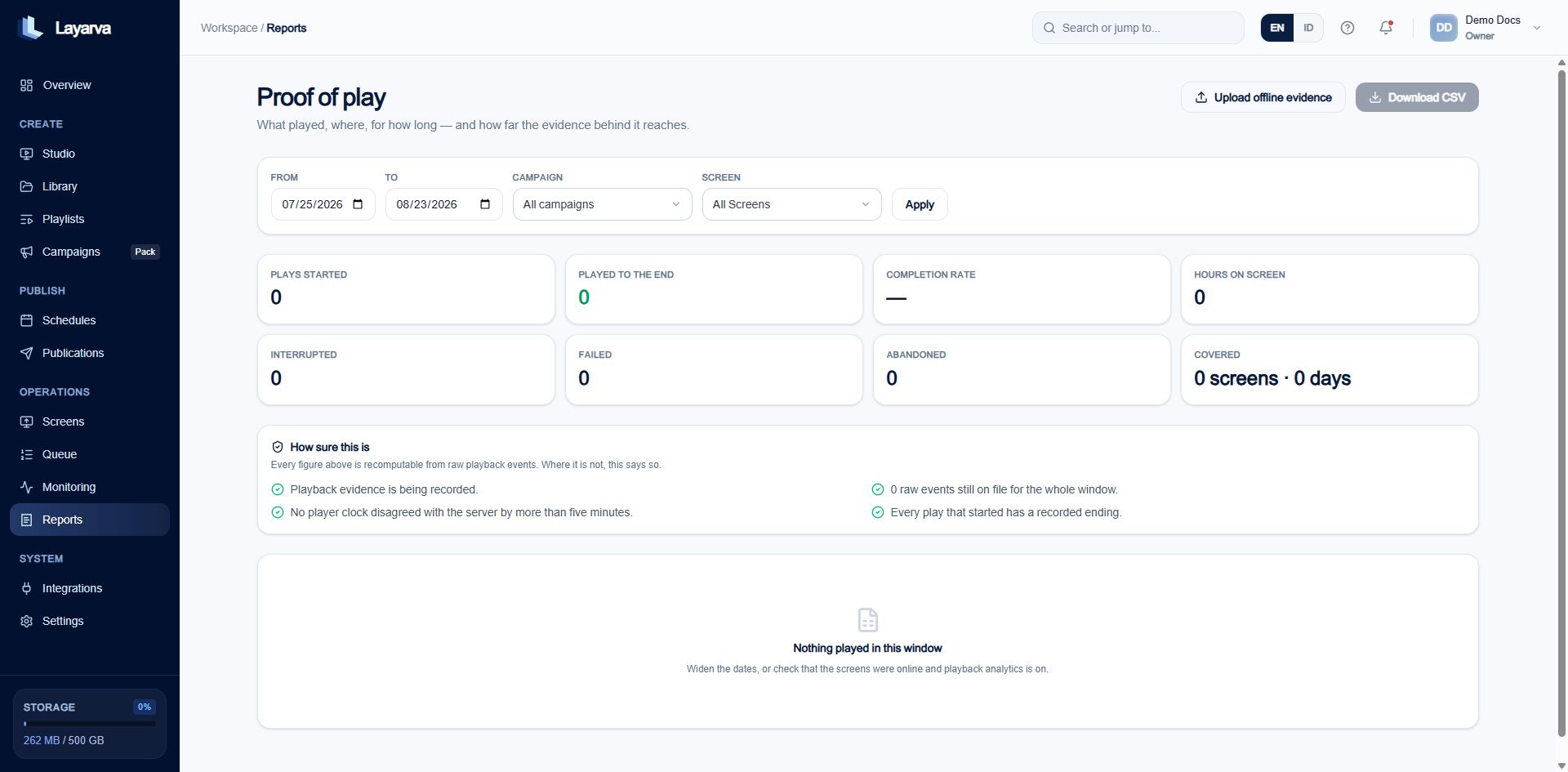 ## Filter the report
1. Open **Reports**.
2. Set **From** and **To**.
3. Optionally select a Campaign or Screen.
4. Select **Apply**.
5. Review the metrics and **How sure this is** evidence section.
6. Select **Download CSV** for external reconciliation.
## Evidence sources
Proof of Play is built from raw playback events, sessions, and daily aggregates. Its default workspace settings are:
| Setting | Default |
| ---------------------- | -------- |
| Analytics enabled | Yes |
| Raw evidence retention | 90 days |
| Open-session timeout | 12 hours |
| Backfill window | 14 days |
The long session timeout allows long-form video and delayed terminal events after a branch outage. Closing sessions too early would manufacture gaps.
## Local-day boundaries
Playback is grouped by the Screen's **Location timezone**, not UTC and not the timezone of the person reading the dashboard.
## Offline evidence
Use **Upload offline evidence** when a physically offline Player returns its signed playback evidence by file. Treat the upload as evidence ingestion, not as content delivery.
## Related guides
* [Monitor Operations](/monitoring/overview)
* [Campaigns and Schedules](/publishing/campaigns)
* [Understand the Layarva Object Model](/platform/object-model)
## Filter the report
1. Open **Reports**.
2. Set **From** and **To**.
3. Optionally select a Campaign or Screen.
4. Select **Apply**.
5. Review the metrics and **How sure this is** evidence section.
6. Select **Download CSV** for external reconciliation.
## Evidence sources
Proof of Play is built from raw playback events, sessions, and daily aggregates. Its default workspace settings are:
| Setting | Default |
| ---------------------- | -------- |
| Analytics enabled | Yes |
| Raw evidence retention | 90 days |
| Open-session timeout | 12 hours |
| Backfill window | 14 days |
The long session timeout allows long-form video and delayed terminal events after a branch outage. Closing sessions too early would manufacture gaps.
## Local-day boundaries
Playback is grouped by the Screen's **Location timezone**, not UTC and not the timezone of the person reading the dashboard.
## Offline evidence
Use **Upload offline evidence** when a physically offline Player returns its signed playback evidence by file. Treat the upload as evidence ingestion, not as content delivery.
## Related guides
* [Monitor Operations](/monitoring/overview)
* [Campaigns and Schedules](/publishing/campaigns)
* [Understand the Layarva Object Model](/platform/object-model)