> ## Documentation Index
> Fetch the complete documentation index at: https://docs.layarva.com/llms.txt
> Use this file to discover all available pages before exploring further.
# Publish Your First Content
> Create an immutable Playlist version and publish it to a Channel.
## What you'll accomplish
You will move a Playlist from Draft to Ready and create an immutable Publication for a Channel.
## Prerequisites
* A Playlist with at least one enabled, playable item.
* Permission to publish under the workspace publishing policy.
## Steps
1. Open **Playlists** and select the Playlist.
2. Confirm its playback order, item duration, orientation, and total duration.
3. Select **Mark as Ready**. Layarva creates an immutable Playlist version.
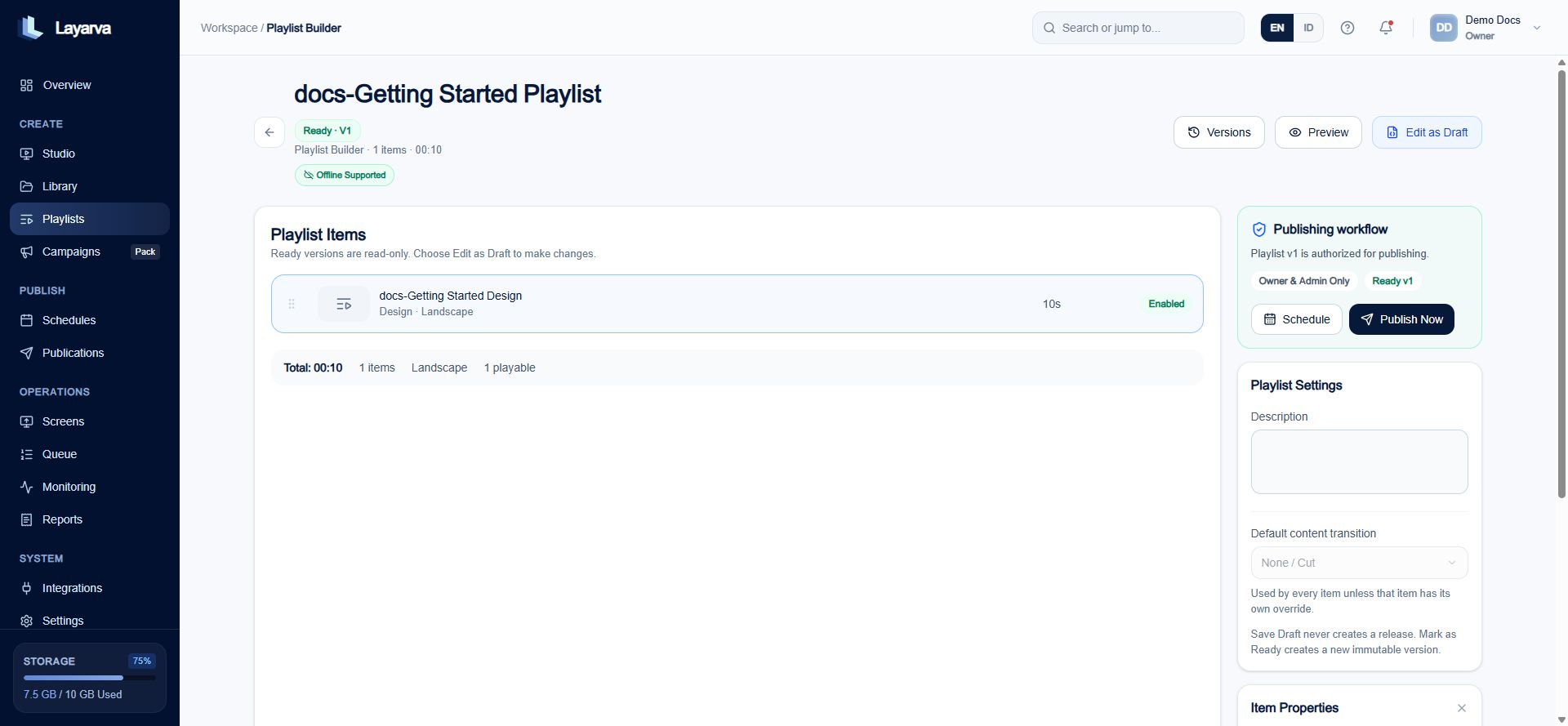 4. Select **Publish Now**.
5. Choose an existing Channel, or select **Create new Channel** and enter a Channel name.
6. Select **Publish Now** in the dialog.
4. Select **Publish Now**.
5. Choose an existing Channel, or select **Create new Channel** and enter a Channel name.
6. Select **Publish Now** in the dialog.
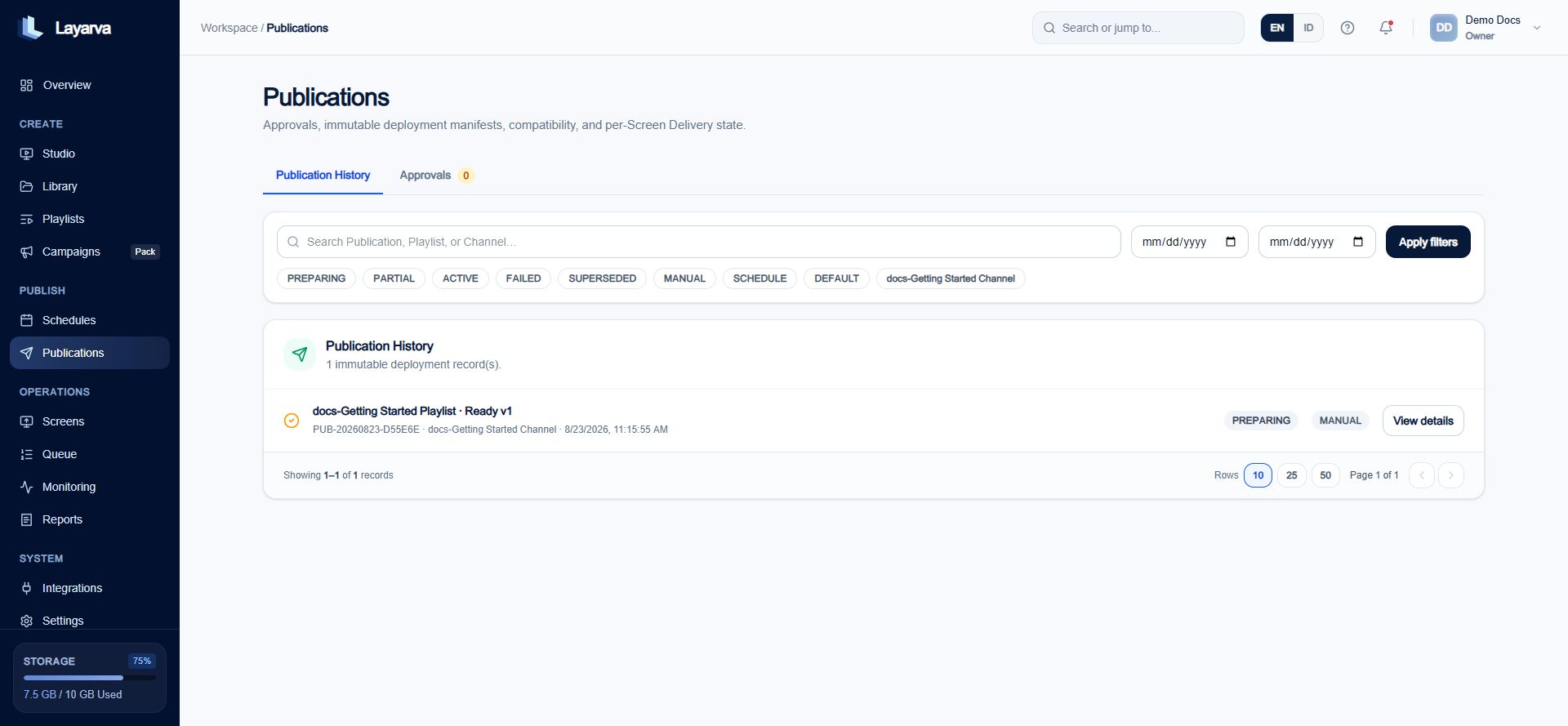
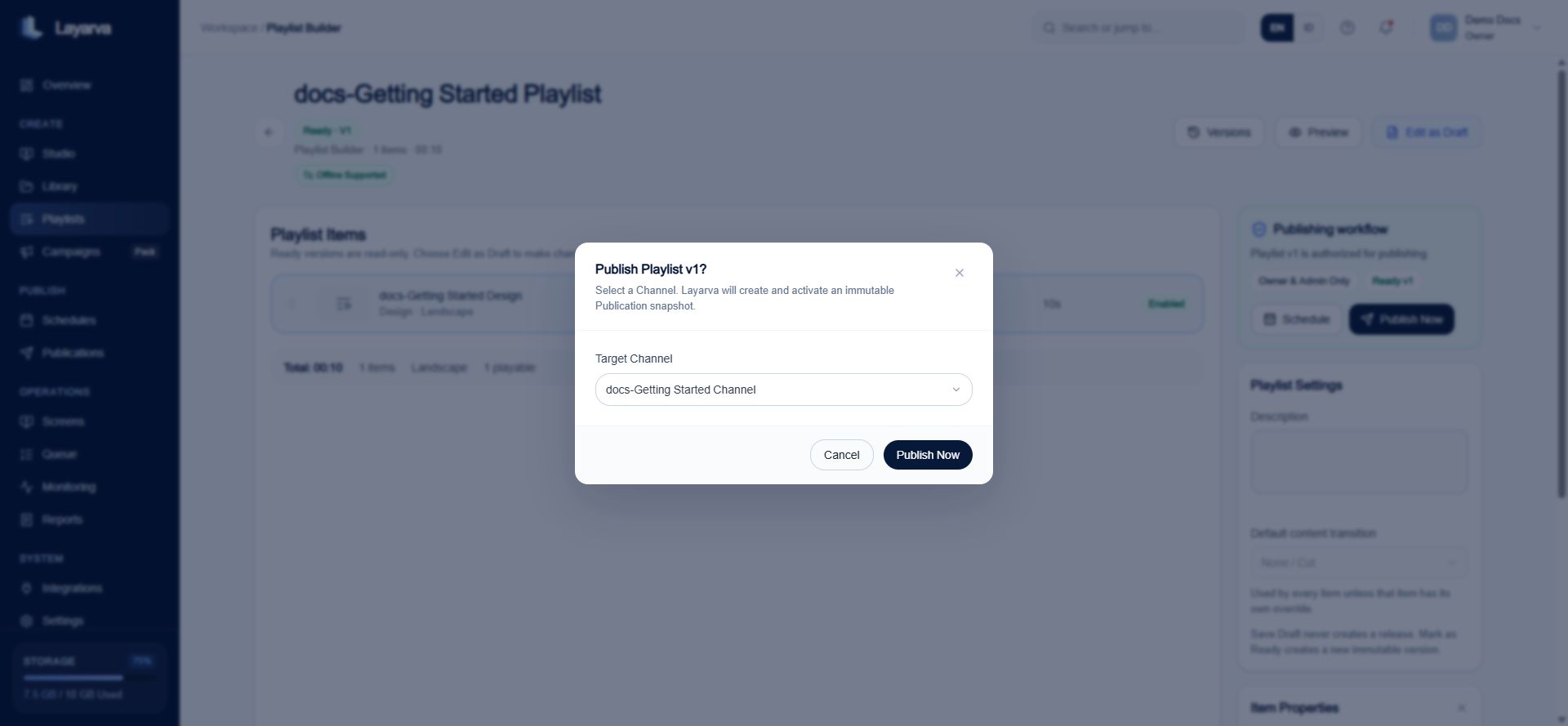 7. Open **Publications** to review the resulting deployment record.
## Expected result
Publication History contains one immutable record for the Playlist version and Channel.
7. Open **Publications** to review the resulting deployment record.
## Expected result
Publication History contains one immutable record for the Playlist version and Channel.
 ## Important notes
* A Publication can remain **PREPARING** when its Channel has no paired Screen to receive it.
* Editing a Design or Playlist later does not modify an existing immutable Publication.
* To publish changes, create a new Ready Playlist version and publish that version.
## Troubleshooting
If no Channel is available, create one in the Publish dialog or from **Screens → Channels**. If a Publication does not reach a Screen, verify the Screen's Channel assignment and device status.
## Related guides
* [Create a Playlist](/studio/playlists)
* [Understand Publishing](/studio/publishing)
* [Add Your First Screen](/getting-started/add-first-screen)
## Important notes
* A Publication can remain **PREPARING** when its Channel has no paired Screen to receive it.
* Editing a Design or Playlist later does not modify an existing immutable Publication.
* To publish changes, create a new Ready Playlist version and publish that version.
## Troubleshooting
If no Channel is available, create one in the Publish dialog or from **Screens → Channels**. If a Publication does not reach a Screen, verify the Screen's Channel assignment and device status.
## Related guides
* [Create a Playlist](/studio/playlists)
* [Understand Publishing](/studio/publishing)
* [Add Your First Screen](/getting-started/add-first-screen)